Look like you, not like us
Clients sign at your own address, like acme.inkdocs.app, or on Business your own domain, such as sign.acme.com. Your name is the one they remember.
E-signatures by Flux Labs
Send contracts, consent forms and offer letters in minutes, from the browser, the Print button or your phone. Clients sign on any device without an account, and every document comes back sealed with a full audit trail.
See it in action
Every organization gets its own address, its own branding and one place to see every document.
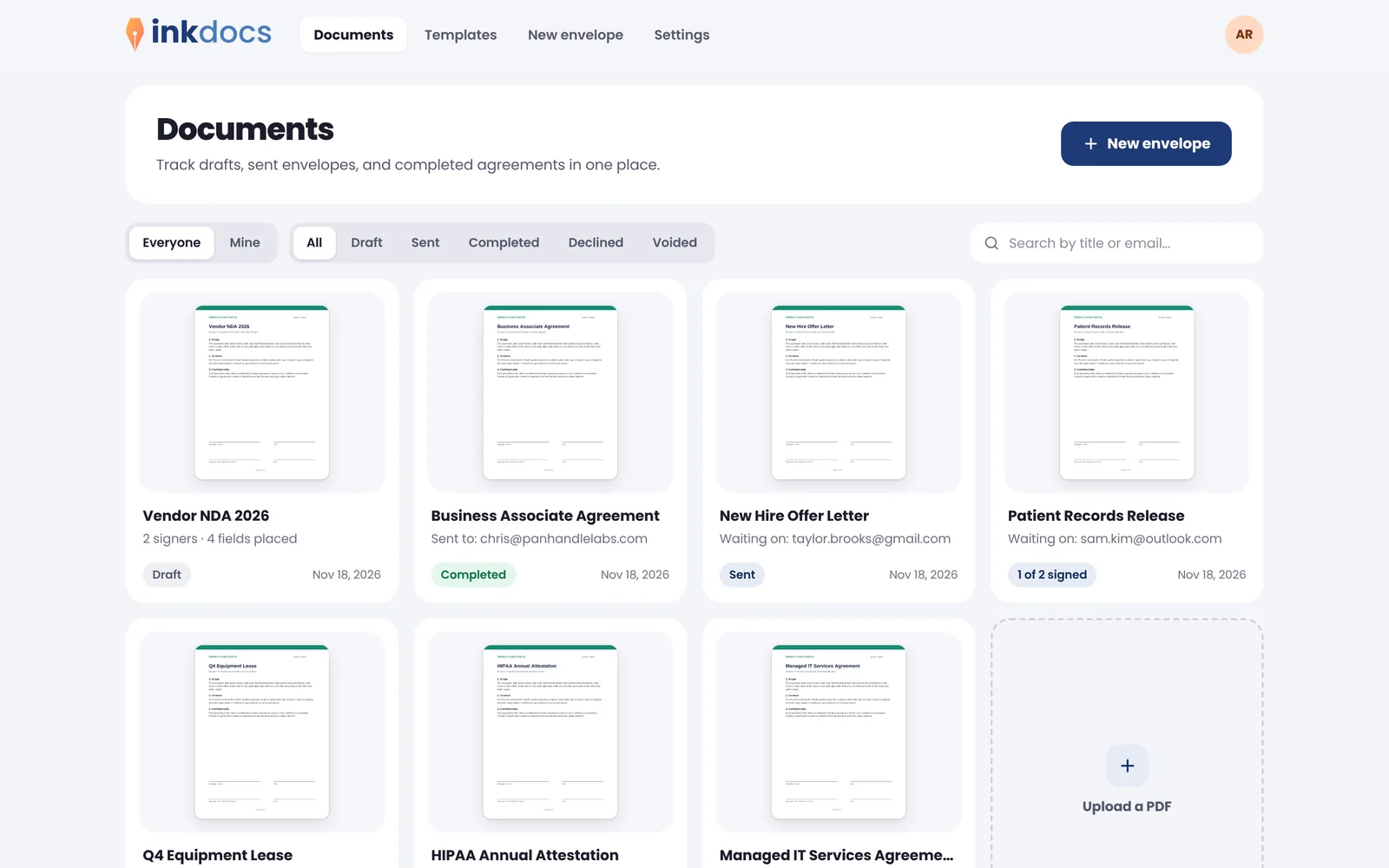
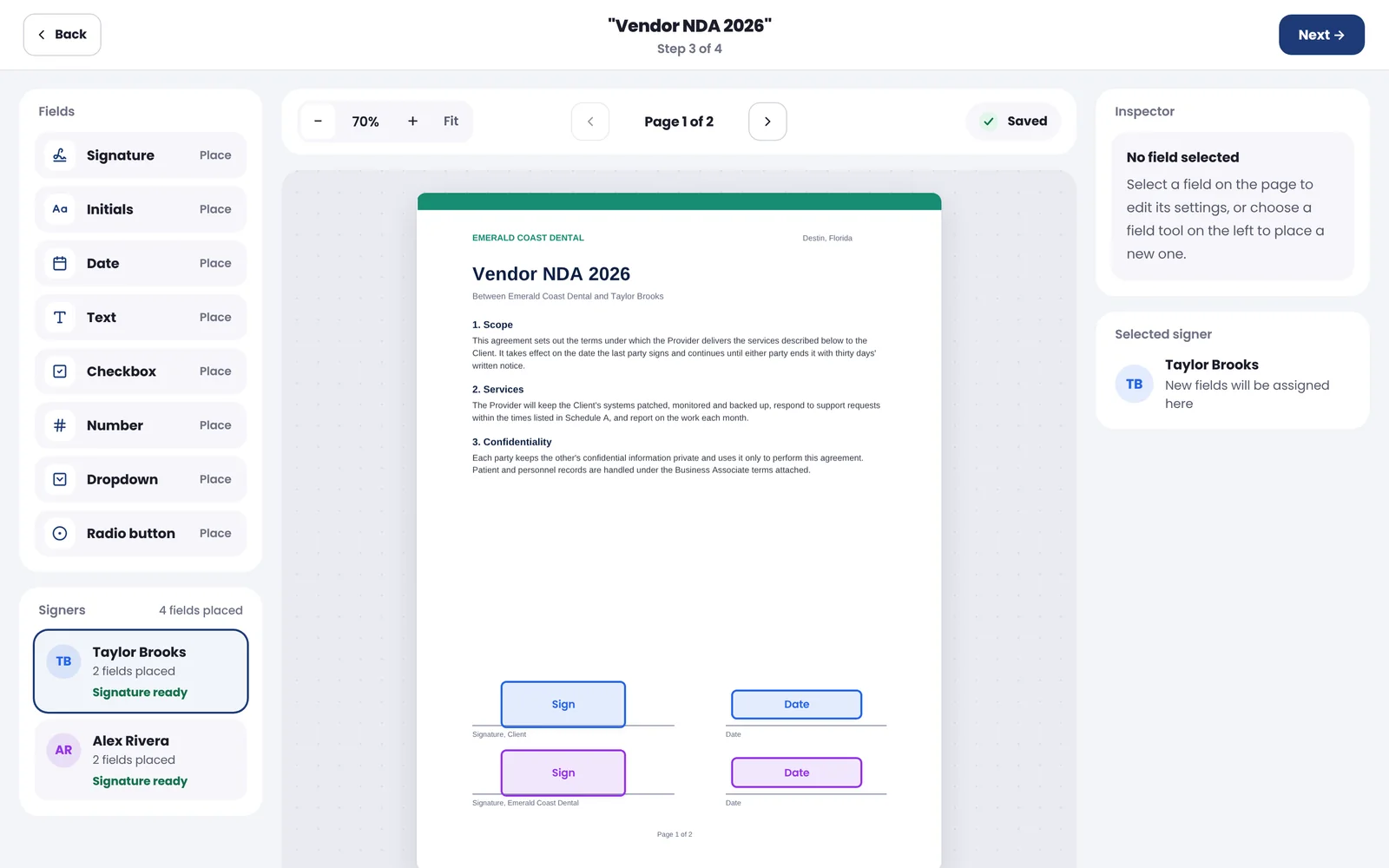
Drop signature, initials, date and text fields where they belong, for each signer.
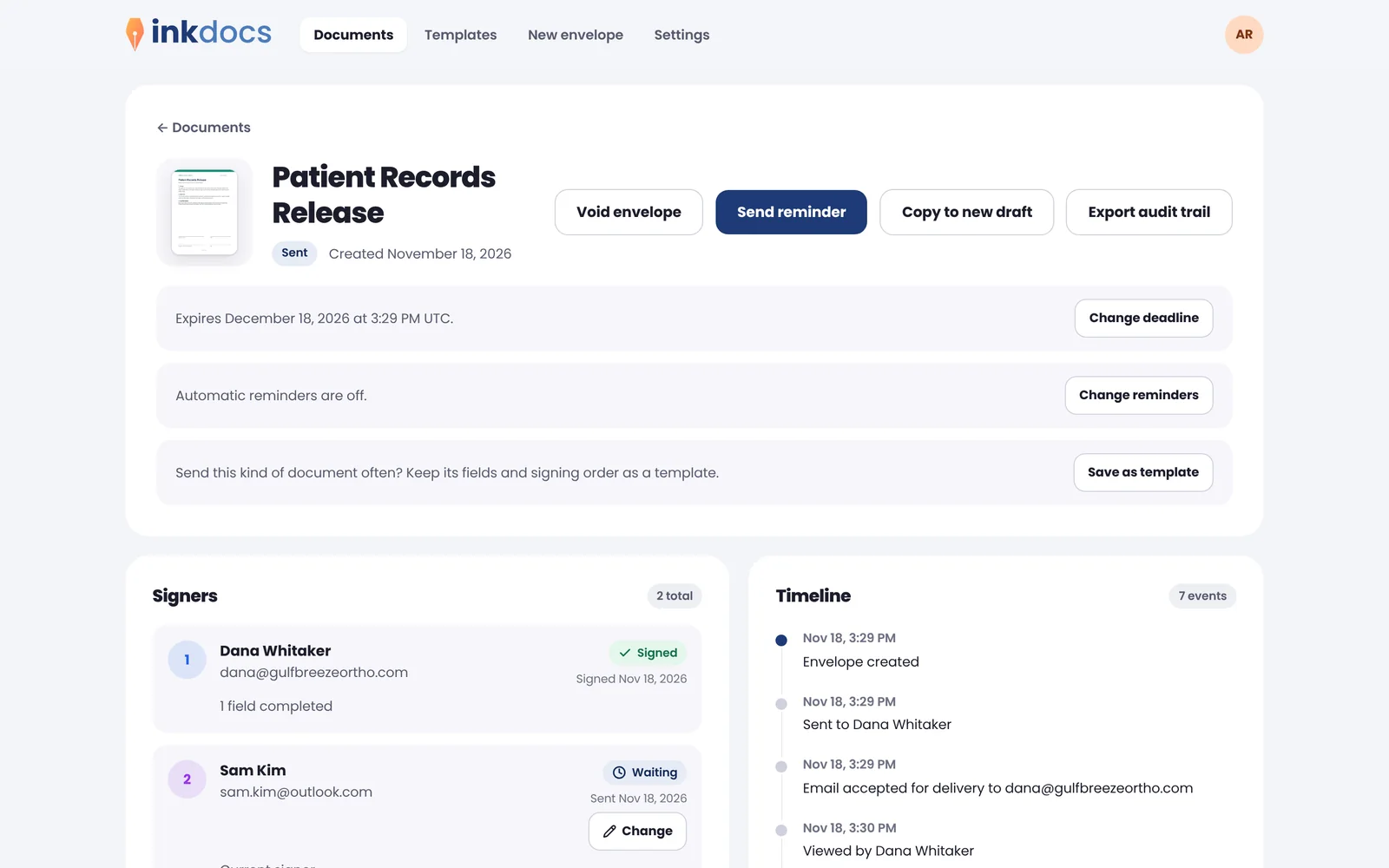
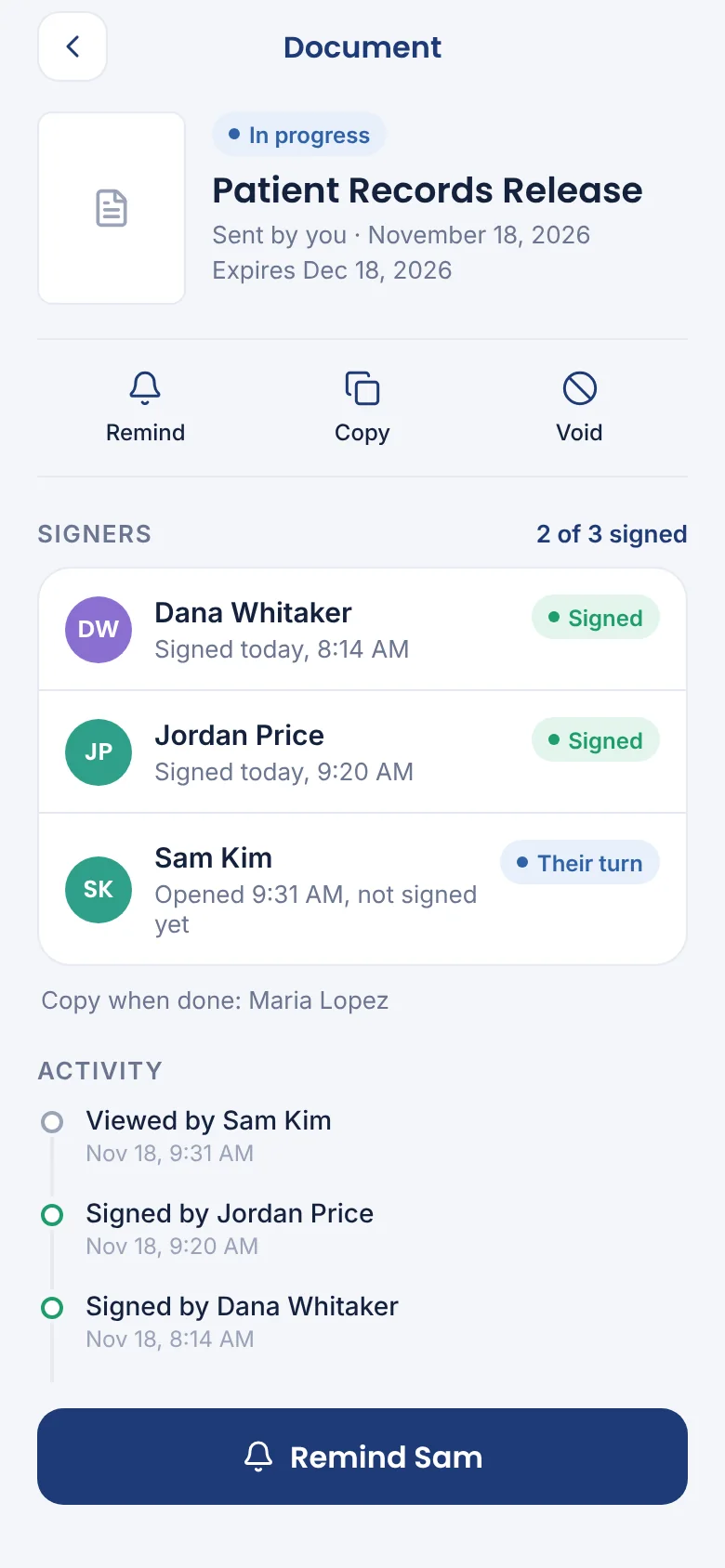
See who has signed, who is next, and every view, reminder and signature on the timeline.
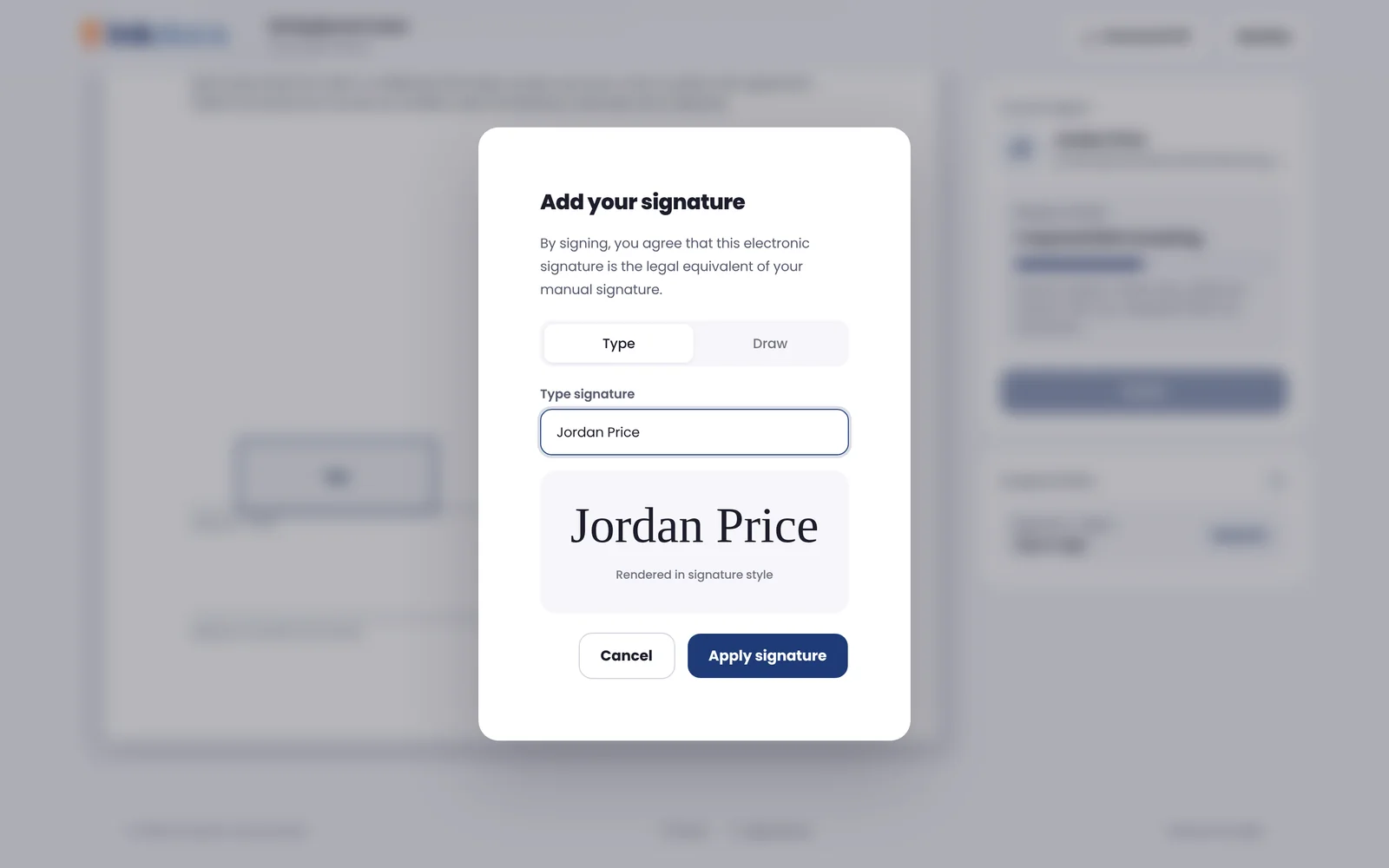
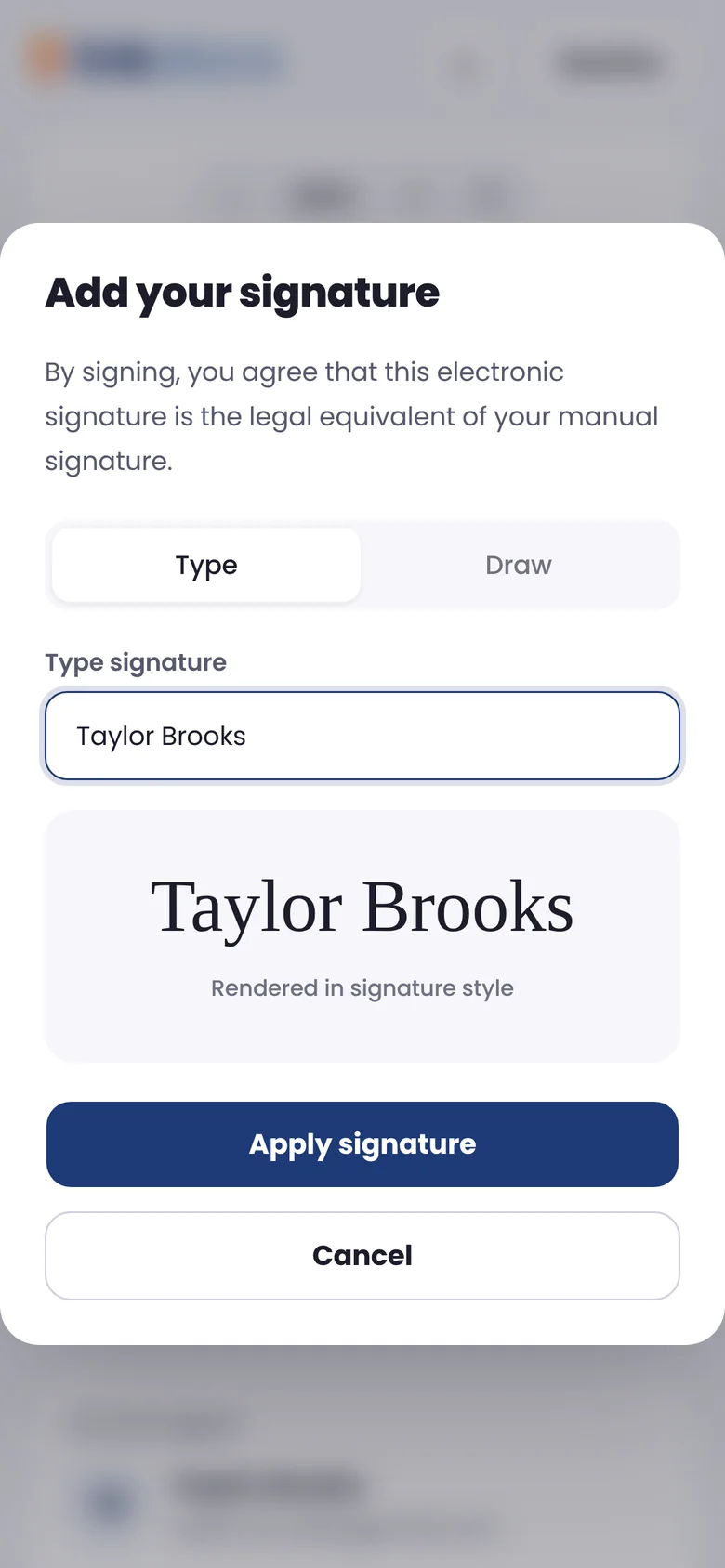
Signers open a private link, type or draw a signature, and they are done.
Why organizations choose Ink
Ink gives every team, client and department its own front door, with the controls IT expects and the polish clients notice.
Clients sign at your own address, like acme.inkdocs.app, or on Business your own domain, such as sign.acme.com. Your name is the one they remember.
Your team signs in with Microsoft, Google or any OpenID Connect provider. New hires are added on their first sign-in, with nothing for IT to set up.
Signing requests arrive from your own email domain with your logo and colors, so they look like you sent them, because you did.
Owners and admins see every document the organization sends, so a deal never stalls because someone is out. Members see their own.
Invite people, set roles and switch between organizations with one sign-in. Seats follow your team, so billing takes care of itself.
Every finished document is sealed so any change shows, with a certificate of who signed and when. Part 11 mode covers regulated records.
Live this afternoon
No consultants, no tickets. Add your domain and Ink gives you the exact DNS records to copy, then checks them for you. Connect Microsoft or Google and your team signs in the way they already do.
How it works
Upload the PDF you already use, print to Ink from any app, or start from a saved template.
Drop signature, initials and date fields where they belong and set who signs first.
Reminders go out on their own. When the last person signs, everyone gets the sealed PDF.
Print to sign
If you can print it, you can get it signed. Choose Ink in the print dialog of Word, your practice software or any app, and the document opens ready to send. No exporting, no uploading, no browser.
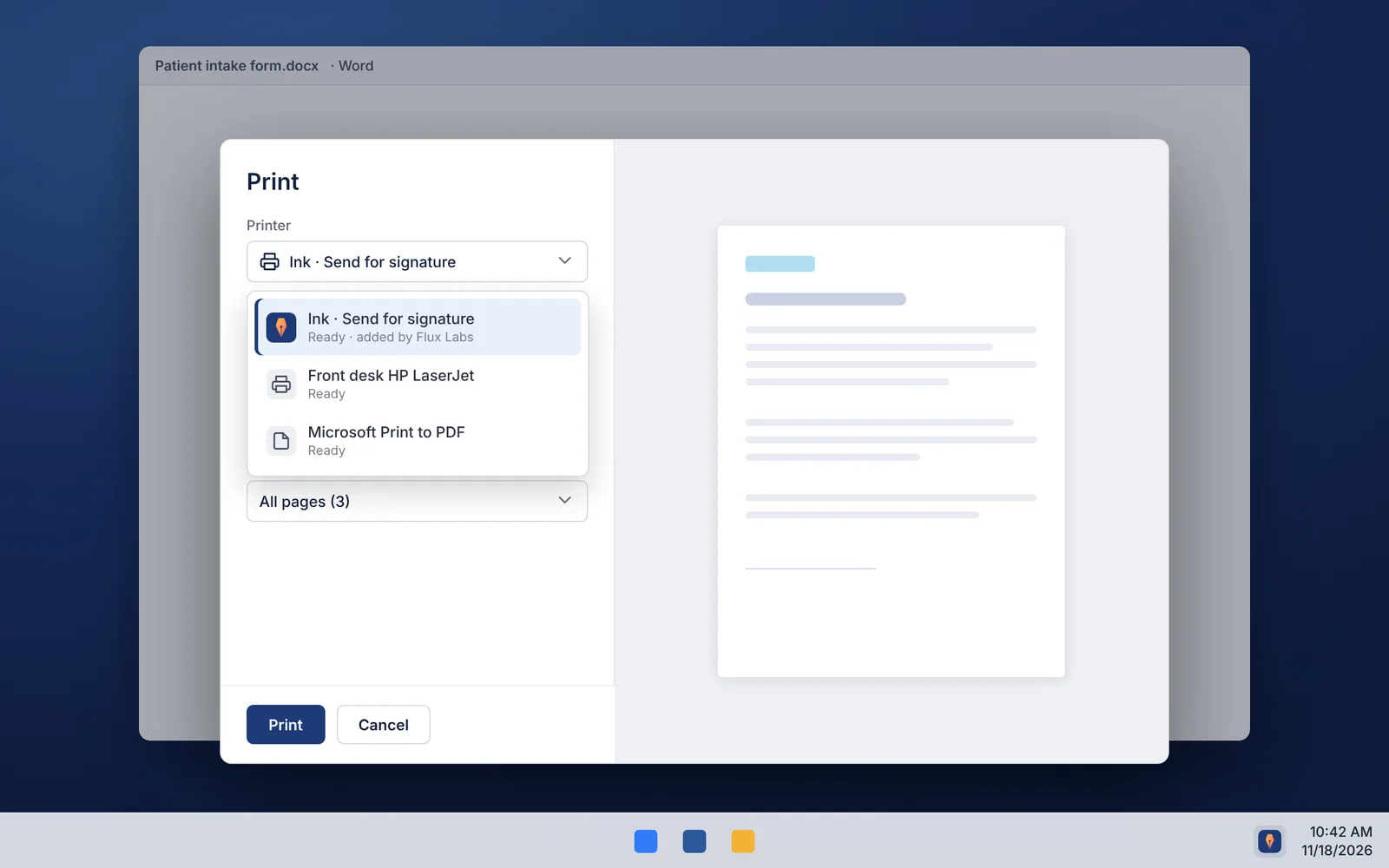
Choose Ink in the print dialog of Word, your practice software or any app, on Windows or Mac.
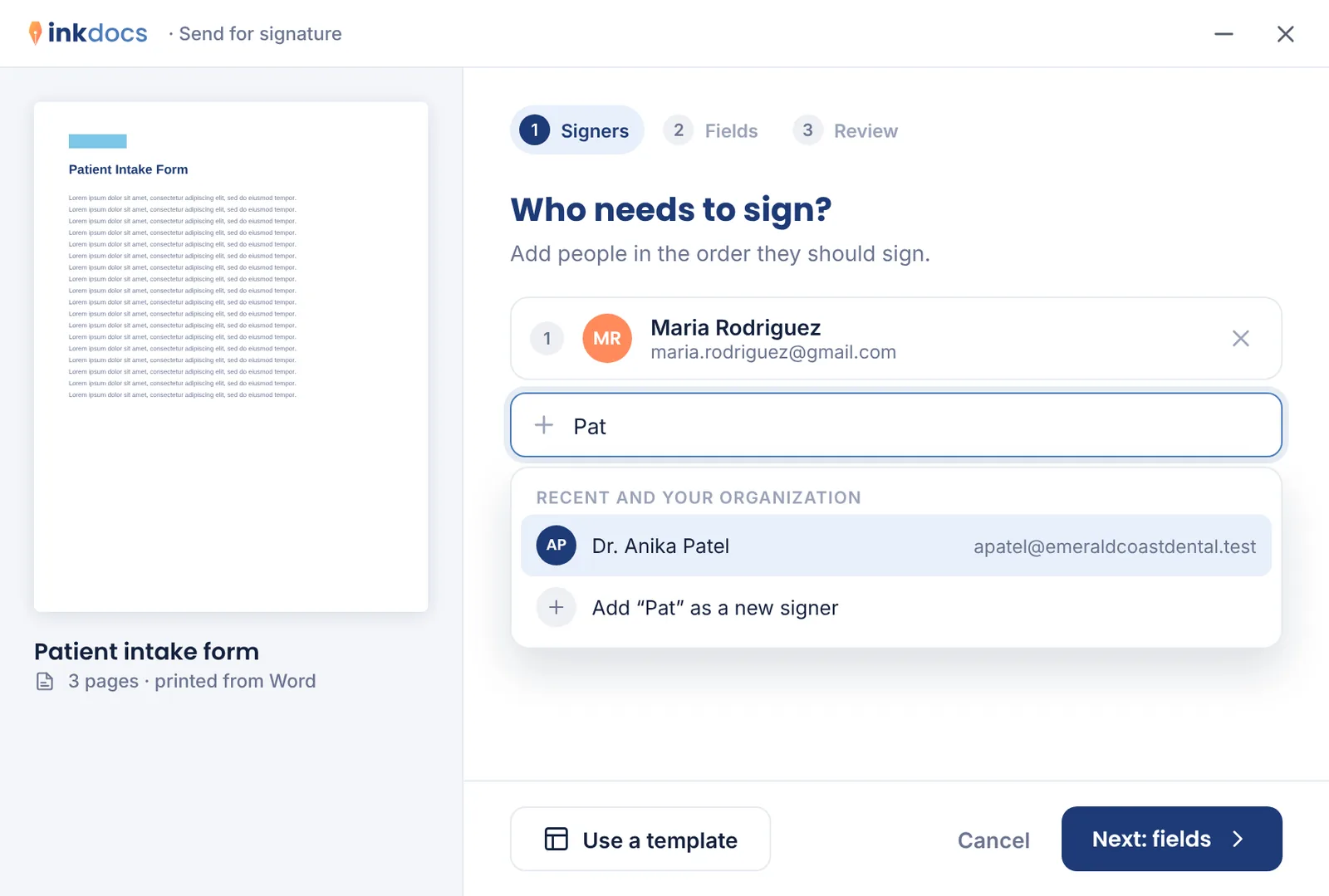
Ink suggests people you've sent to before and people in your organization, in signing order.
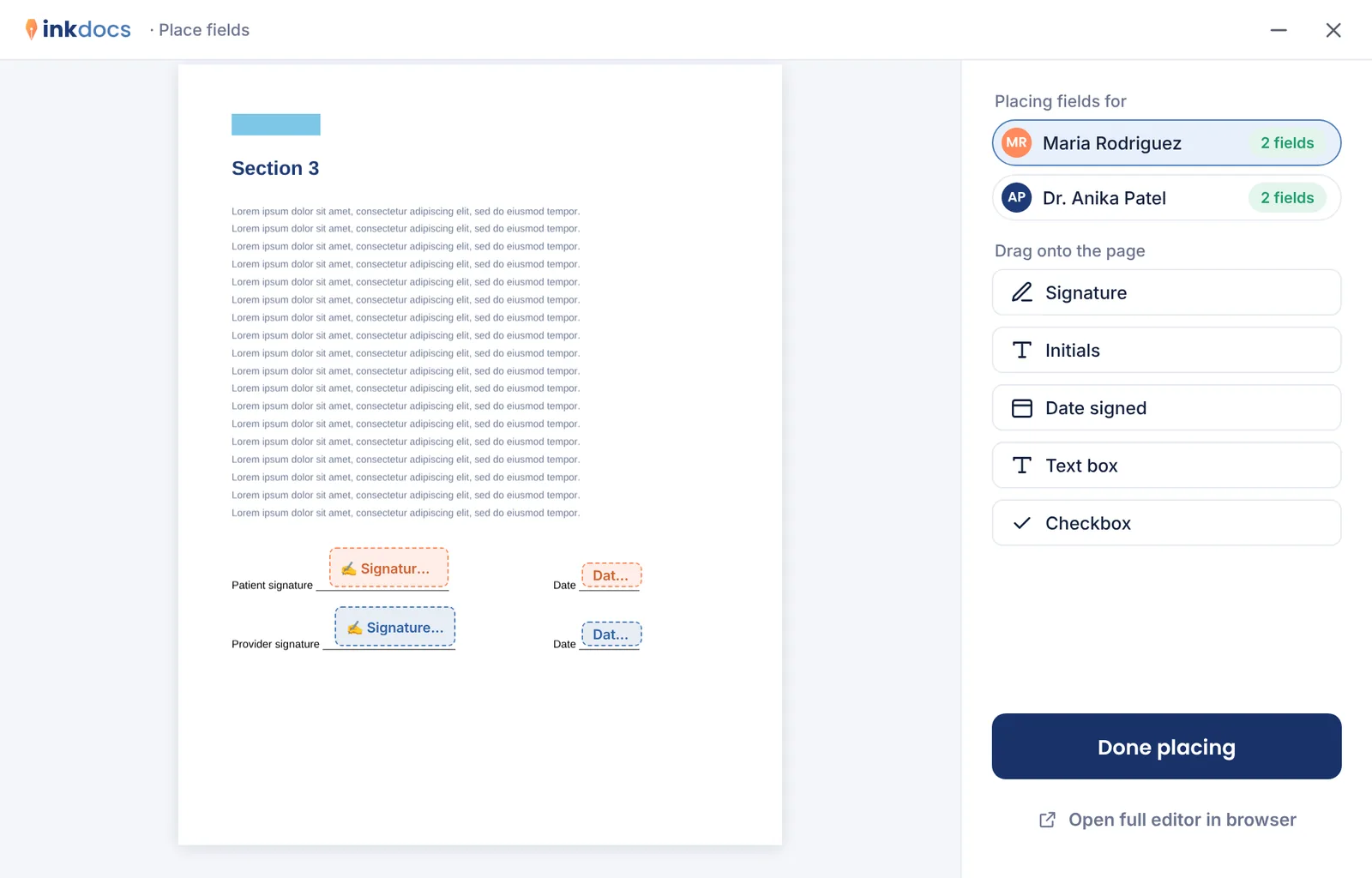
Drop signature and date fields on the page, or let Ink add a signature page, then send.
On your phone
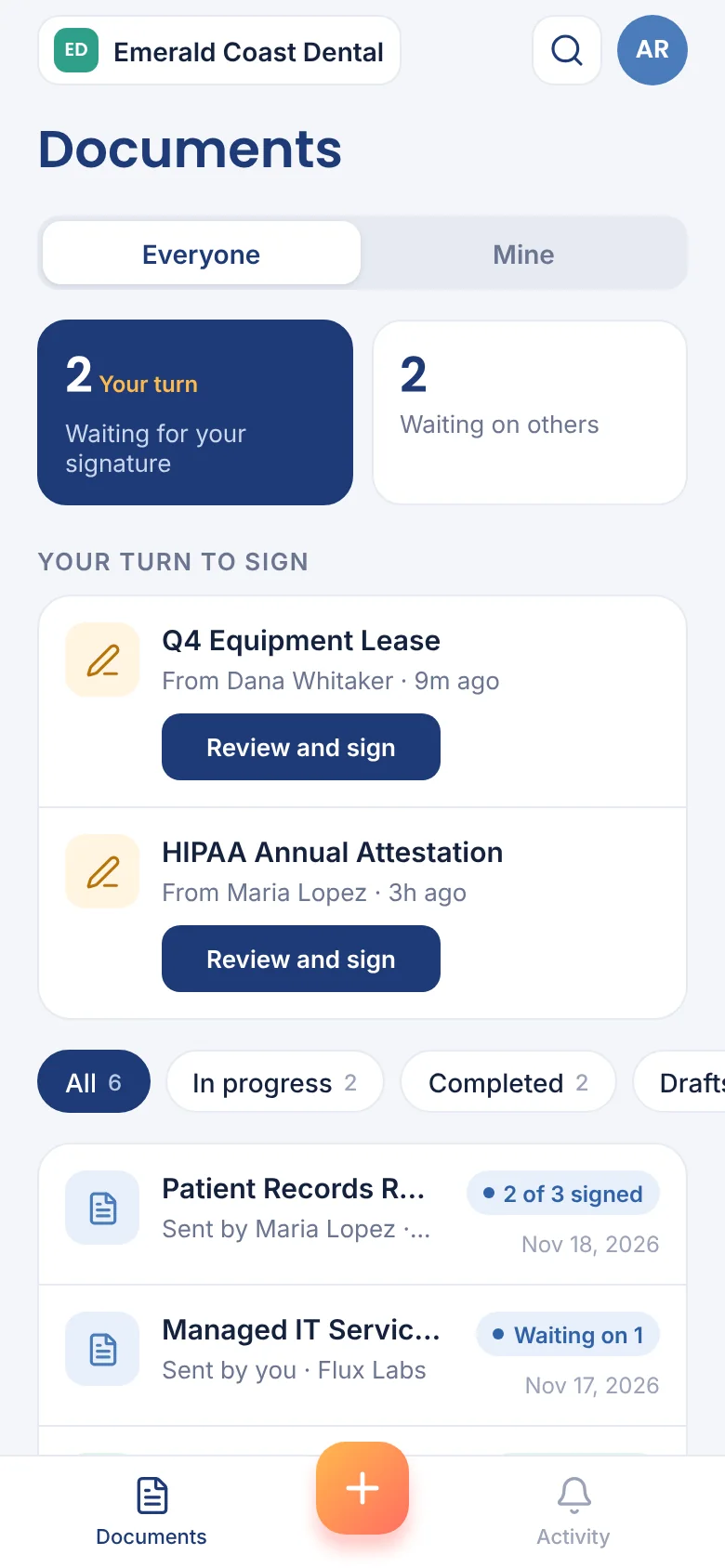
Signers sign from any phone's browser with nothing to install. The Ink app for iPhone and Android, coming soon, lets your team send documents, sign what's waiting on them and send reminders on the go.
Who it's for
Pricing
Unlimited documents on every plan, billed monthly or yearly. Clients, patients and new hires sign for free.
Managed by Flux Labs
Flux Labs clients get Ink set up, connected to Microsoft sign-in and their domain, and billed with their managed services. Nothing for you to configure.
FAQ