Use the documents you already have
Signature, initials, date, text, checkbox, number, dropdown and radio fields, placed right on your own PDF.
Capabilities
Ink takes the busywork out of signatures: send from wherever the document lives, let Ink chase the signers, and get back a sealed record every time. All under your own name, with the sign-in your team already uses.
Product tour
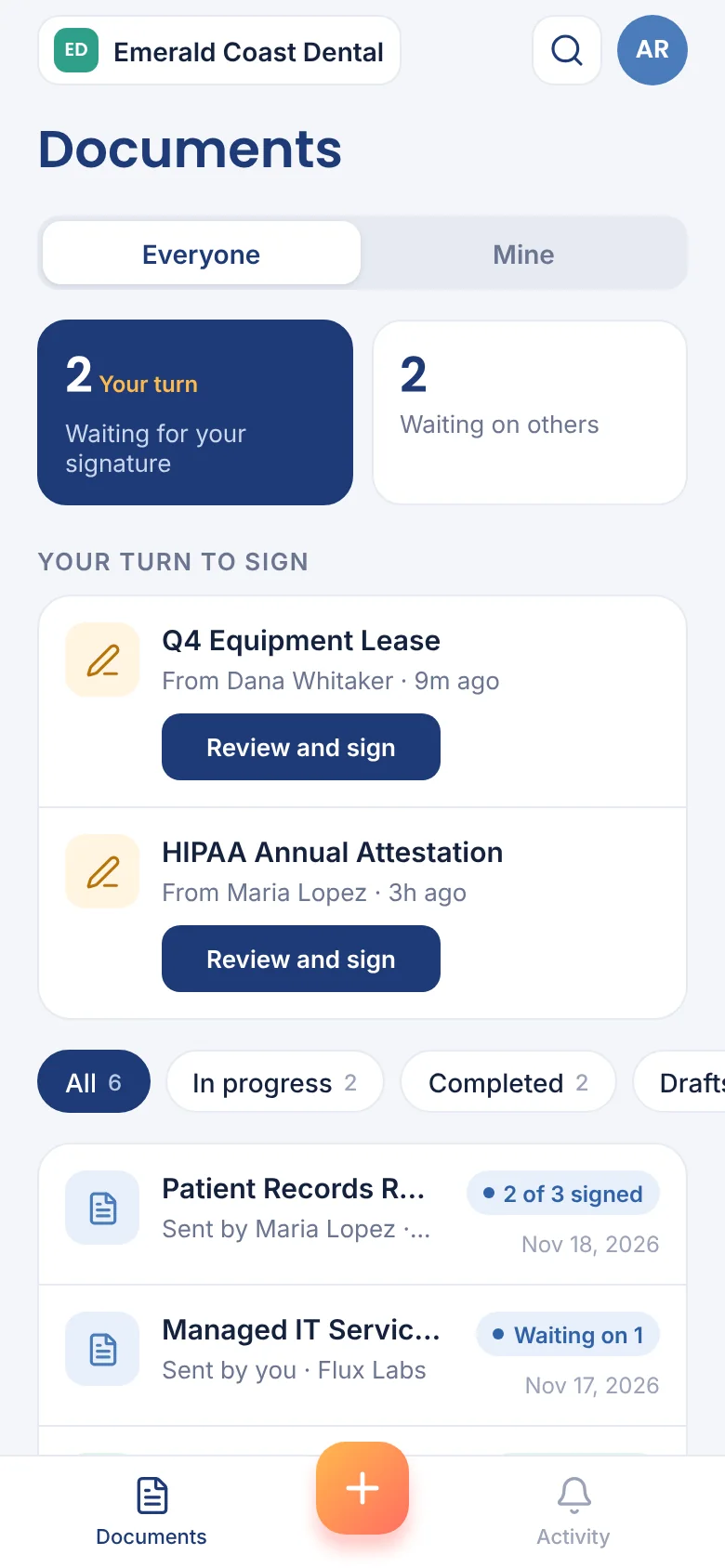
Real screens from Ink, shown with a sample organization.
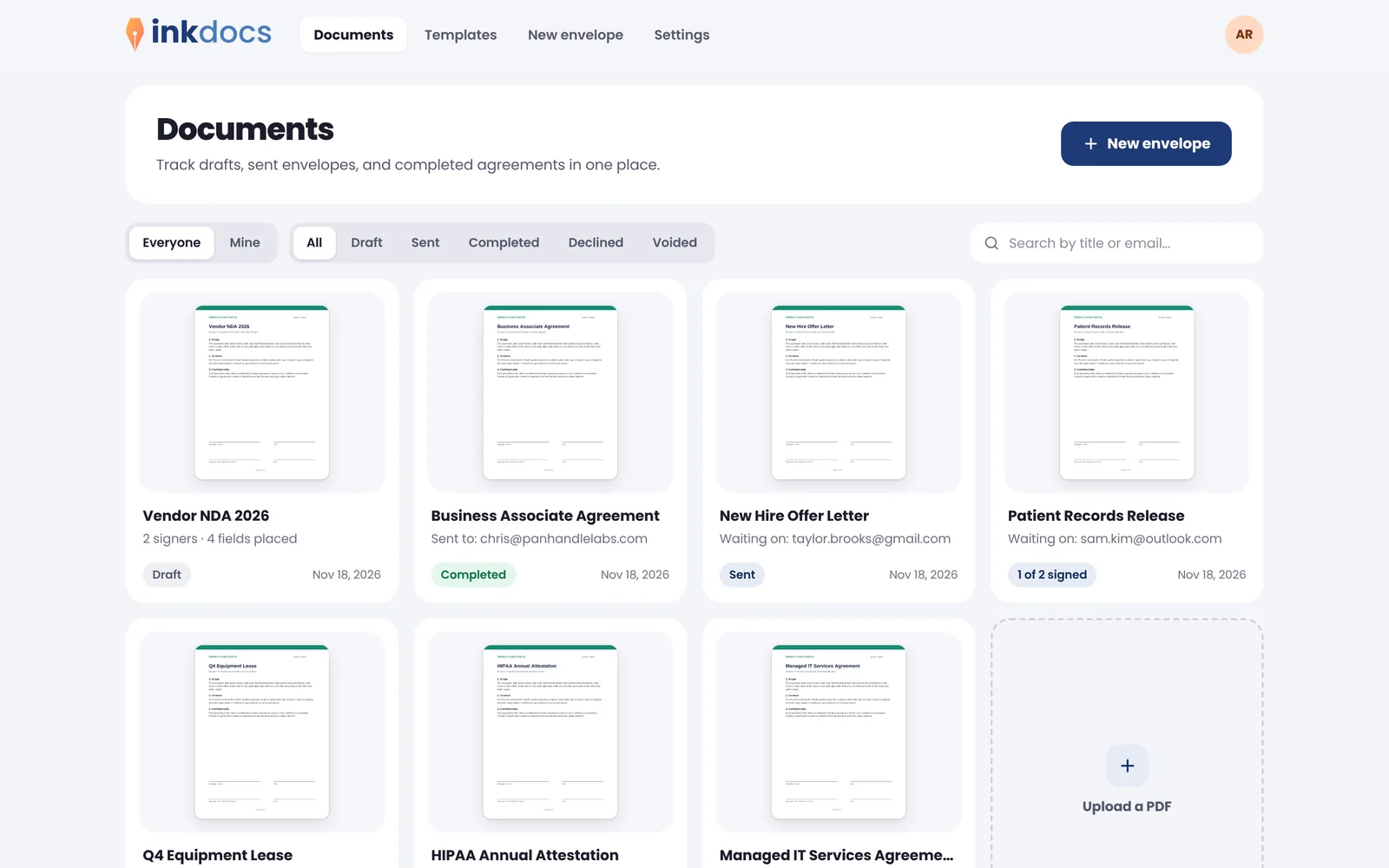
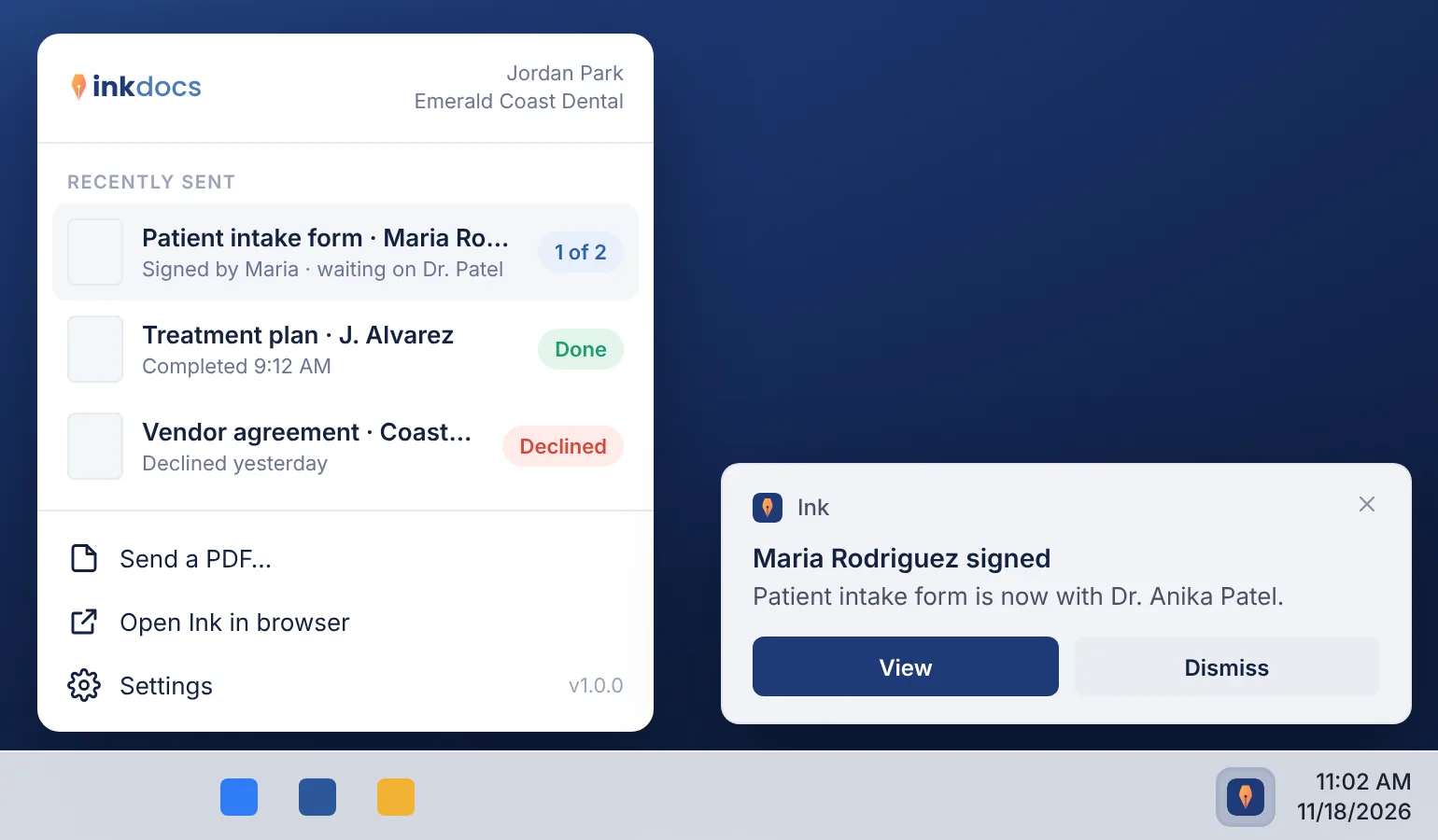
Drafts, sent and completed documents in one view. Owners and admins see everyone's; members see their own.
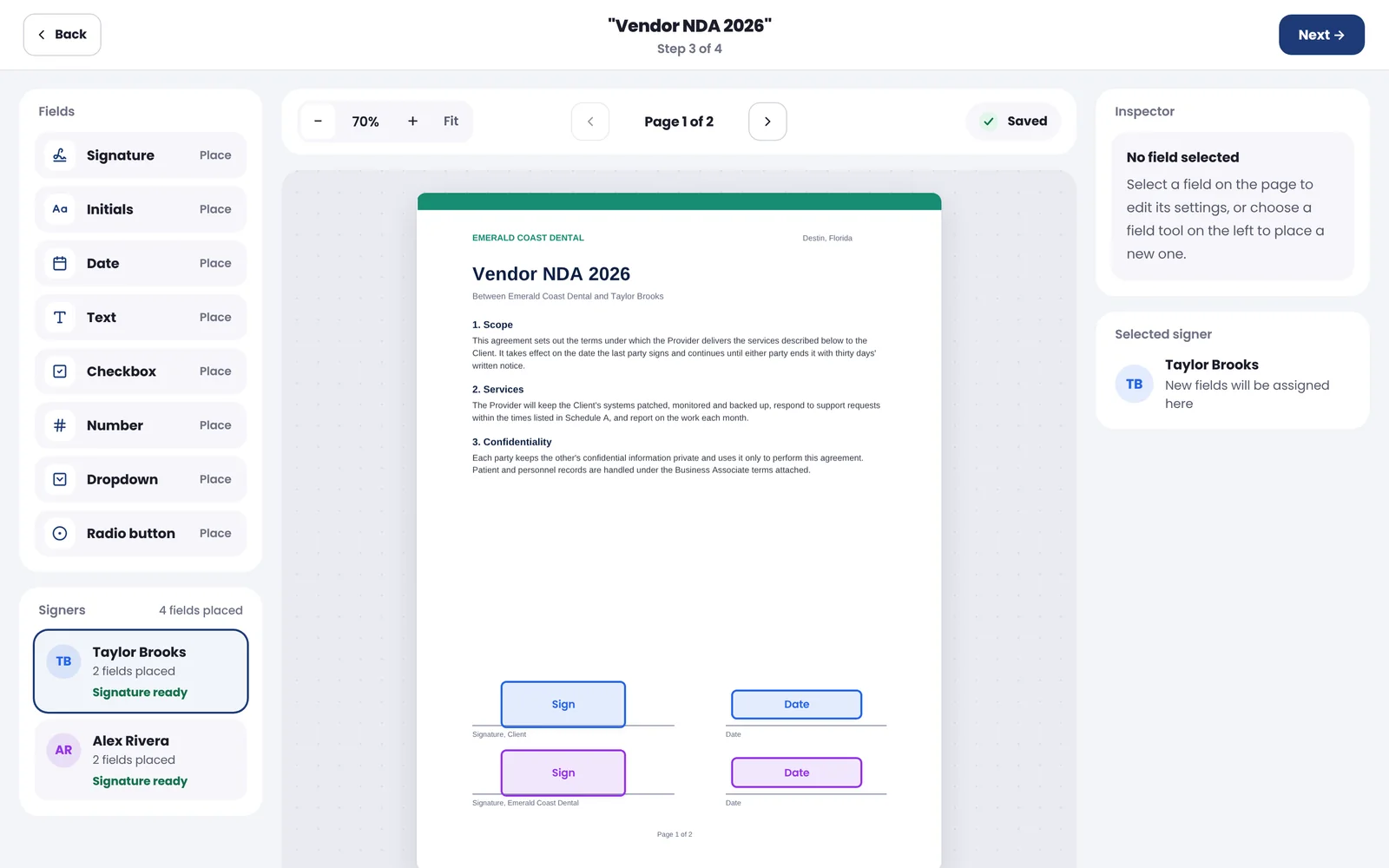
Choose a field, click where it goes. Each signer gets a color, and the draft saves as you work.
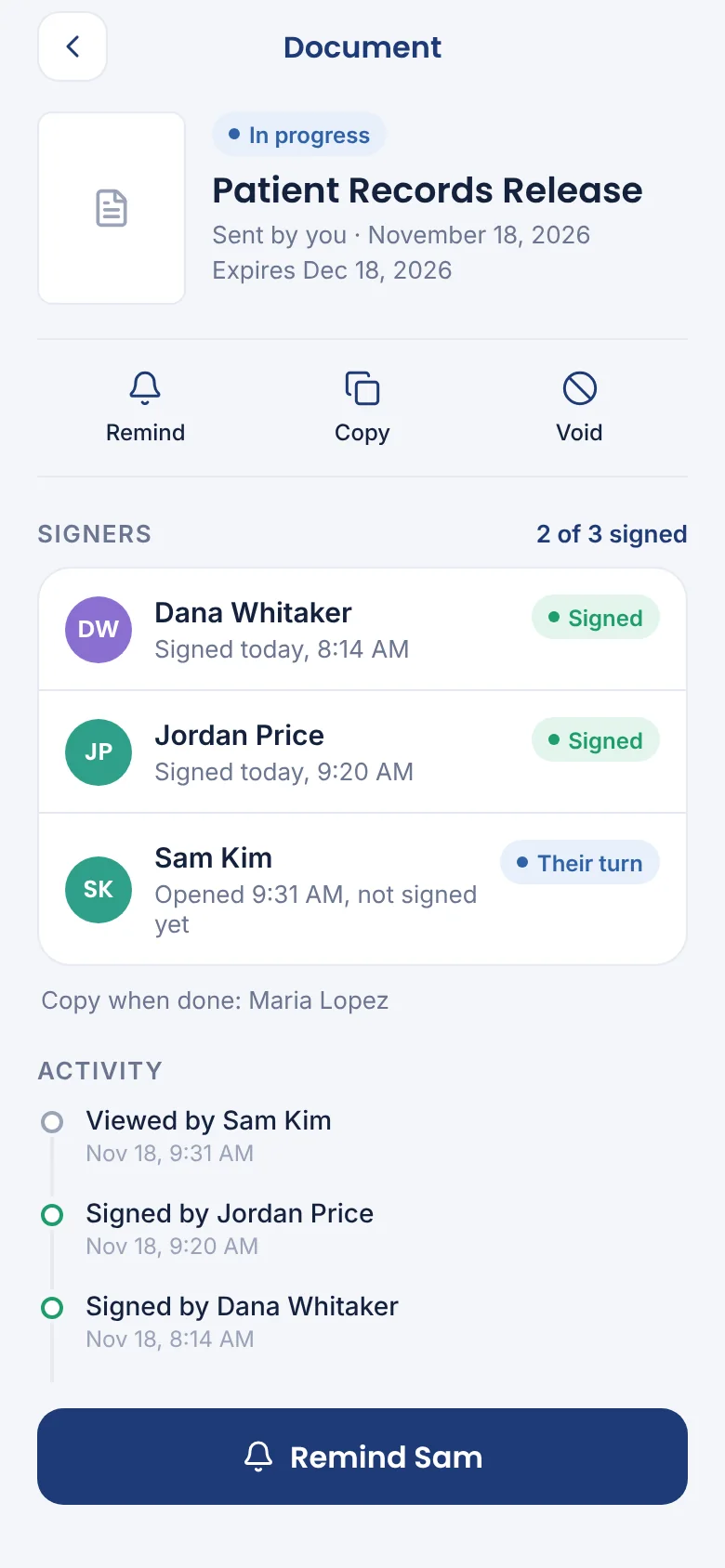
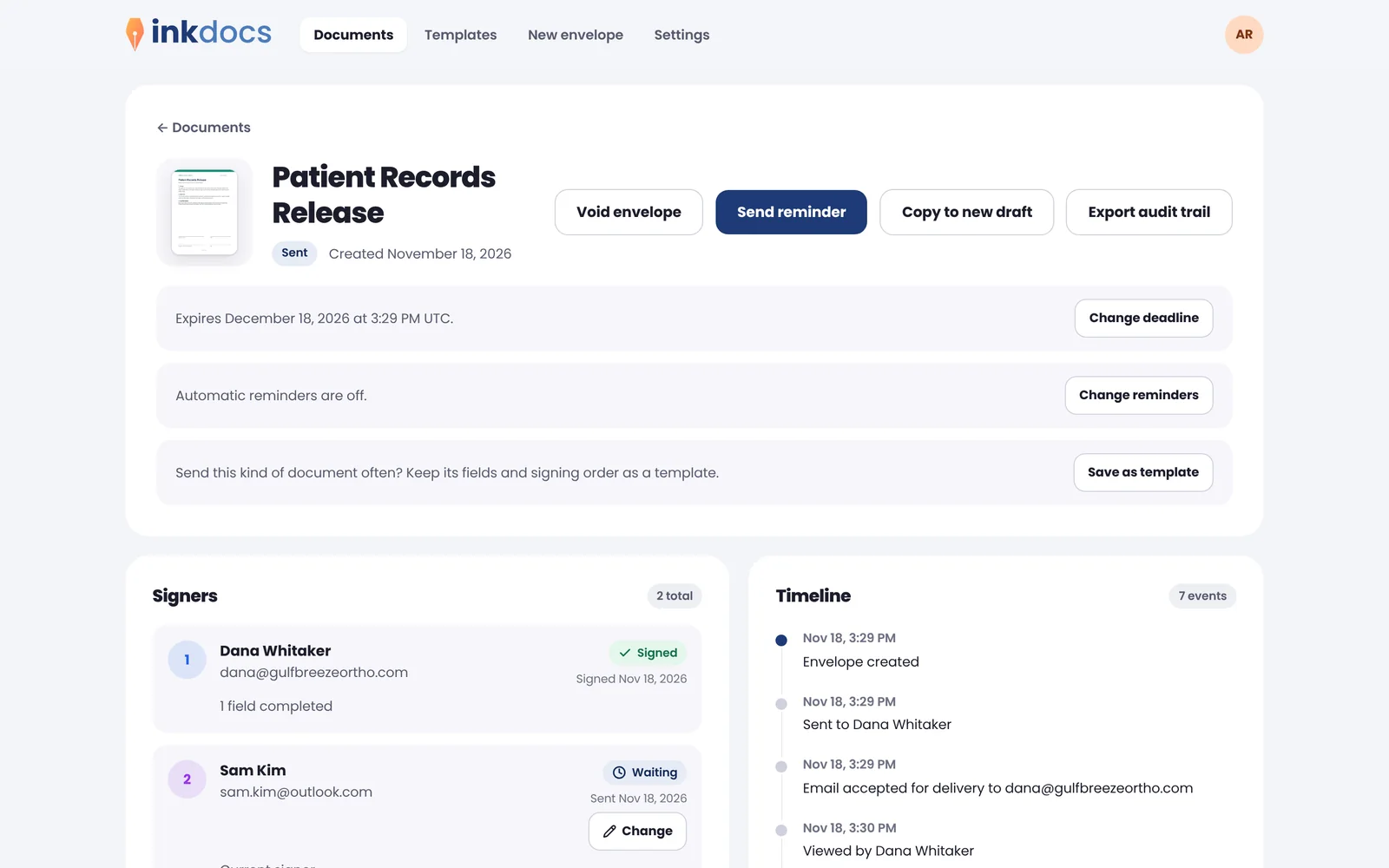
Remind, change the deadline, void or copy a document. The timeline shows every step, and the audit trail exports in one click.
Signing
Start from the PDF you already have. No rebuilding your documents in someone else's editor, and no training for signers.
Signature, initials, date, text, checkbox, number, dropdown and radio fields, placed right on your own PDF.
Pick who signs first, second and third. Each person is invited the moment the one before finishes.
Save the agreements you send every week as templates, fields and all, and reuse them in a few clicks.
Ink nudges anyone who hasn't signed on the schedule you choose, and lets you know when it's done.
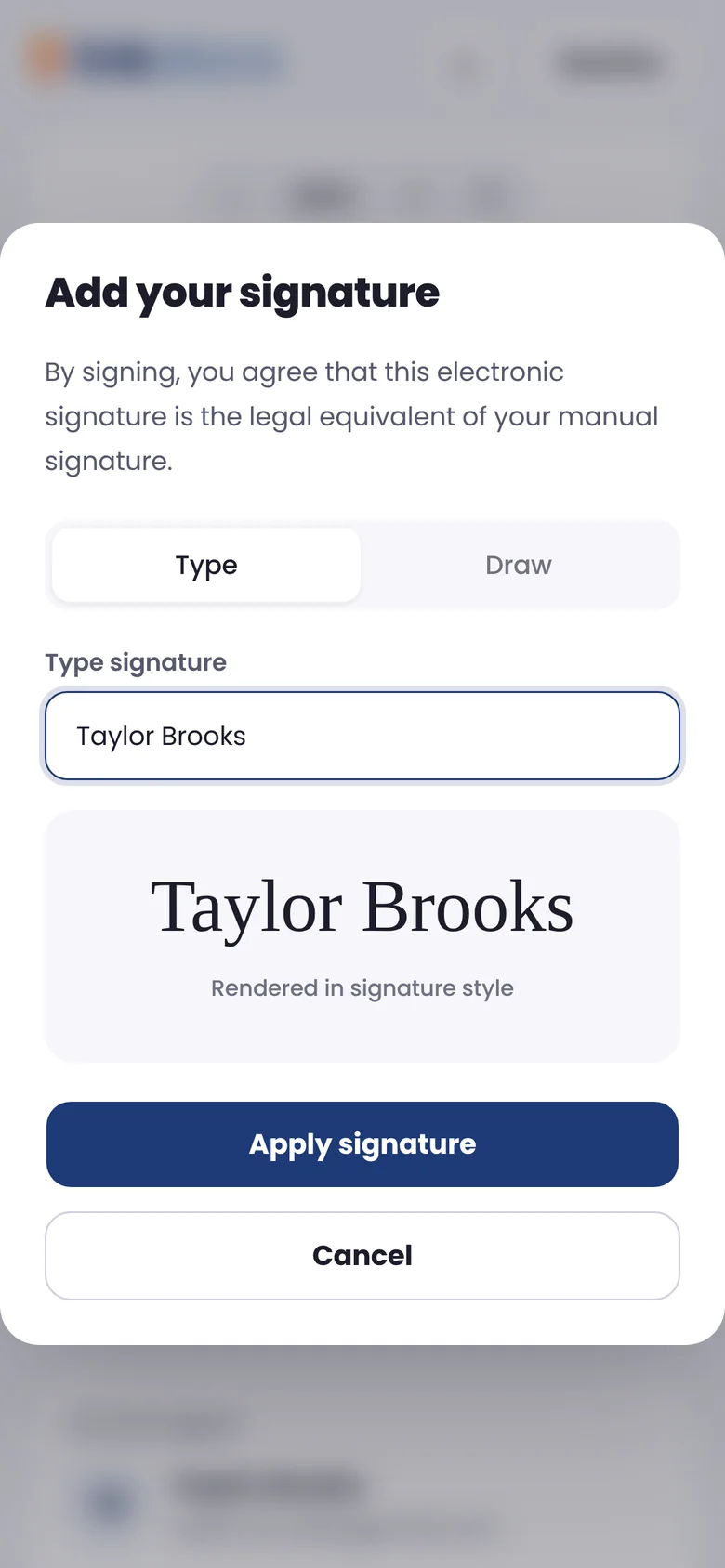
Signers open a private link and sign on any phone or computer. No account, no app, no friction.
The finished PDF is sealed so any change shows, with a certificate of completion attached.
Your brand
Clients trust what looks like you. Every signing page, email and button carries your name, your logo and your colors.
Each organization works at its own address, like acme.inkdocs.app, so clients see your name, not ours.
On Business, serve Ink from your own domain, such as sign.acme.com, with a certificate handled for you.
Your branding on the signing pages, the emails and the buttons signers click.
Verify your email domain and signing requests send from your own address.
Owners, admins and members. Invite people by email, remove them, and their documents move to an admin.
Owners and admins see every document the organization sends. Members see only their own.
Identity and access
One less set of passwords. People sign in through your identity provider, limited to domains you have verified, so only your people get in.
Microsoft Entra ID, Google Workspace or any OpenID Connect provider, set up per organization.
Anyone at your verified domain who signs in through your provider joins automatically.
Require single sign-on or two-step sign-in for everyone, with a break-glass owner.
Download who did what and when for any document, or the whole organization.
Print to sign
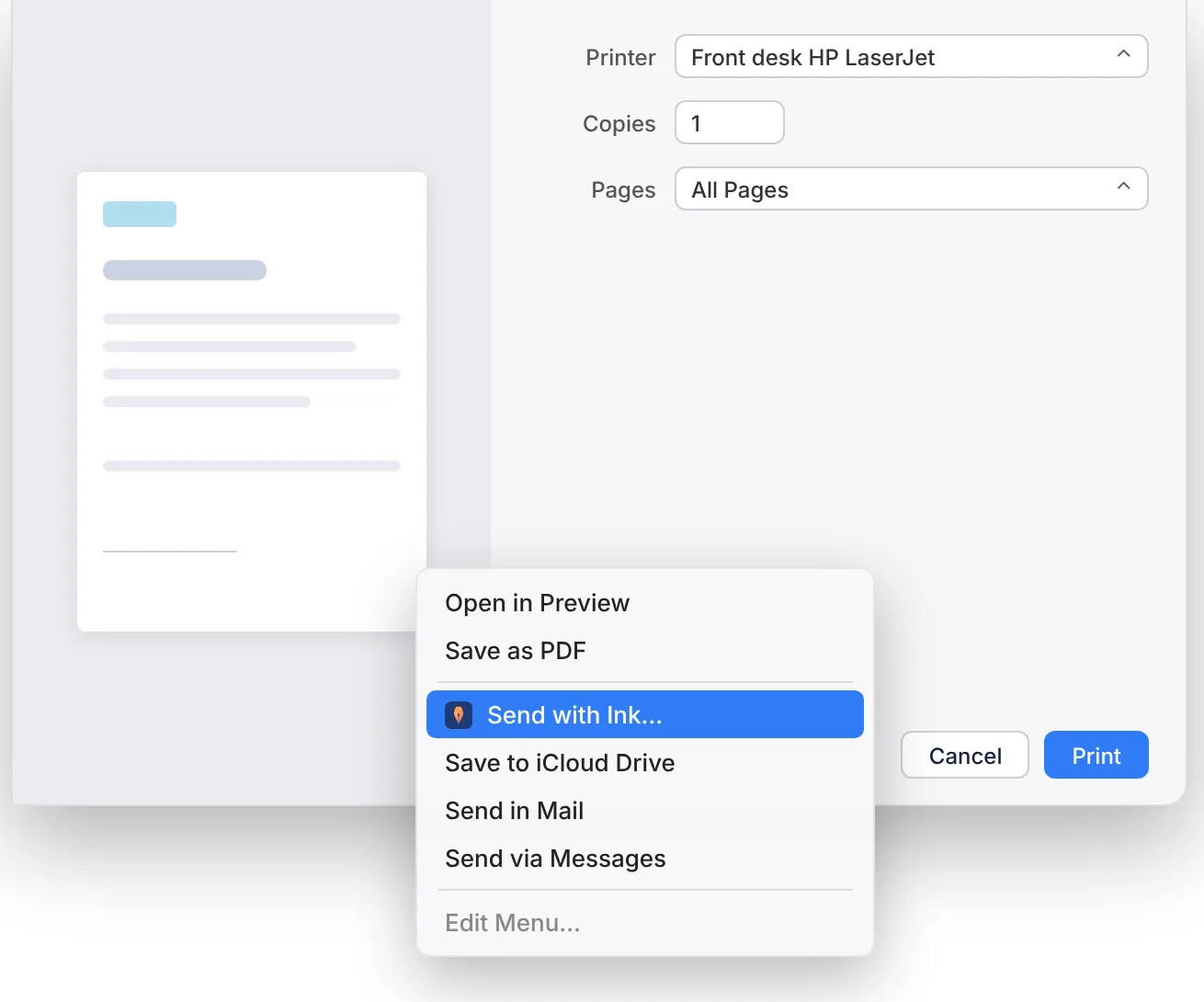
If you can print it, you can get it signed. Choose Ink in the print dialog of Word, your practice software or any app, and the document opens ready to send. No exporting, no uploading, no browser.
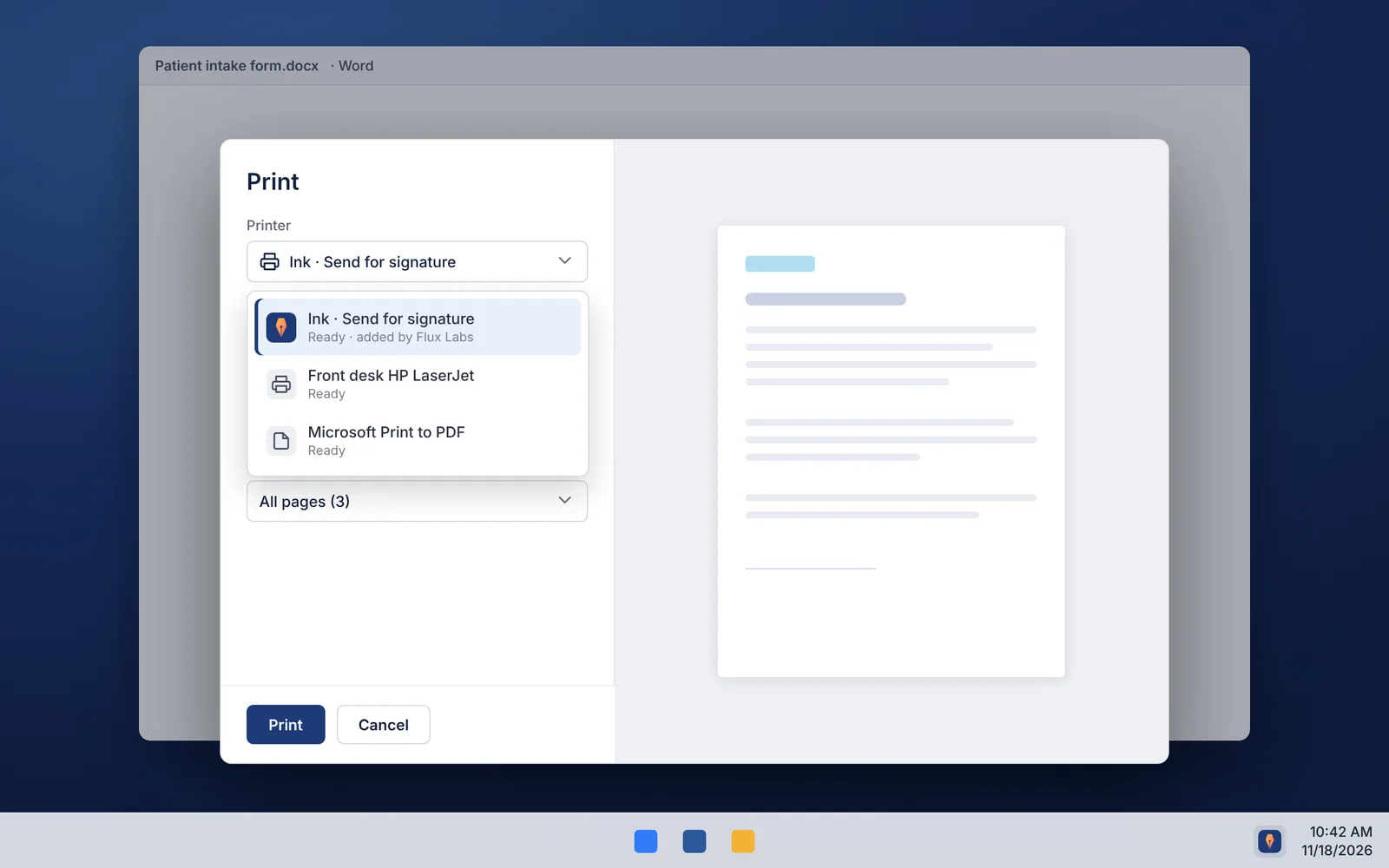
Choose Ink in the print dialog of Word, your practice software or any app, on Windows or Mac.
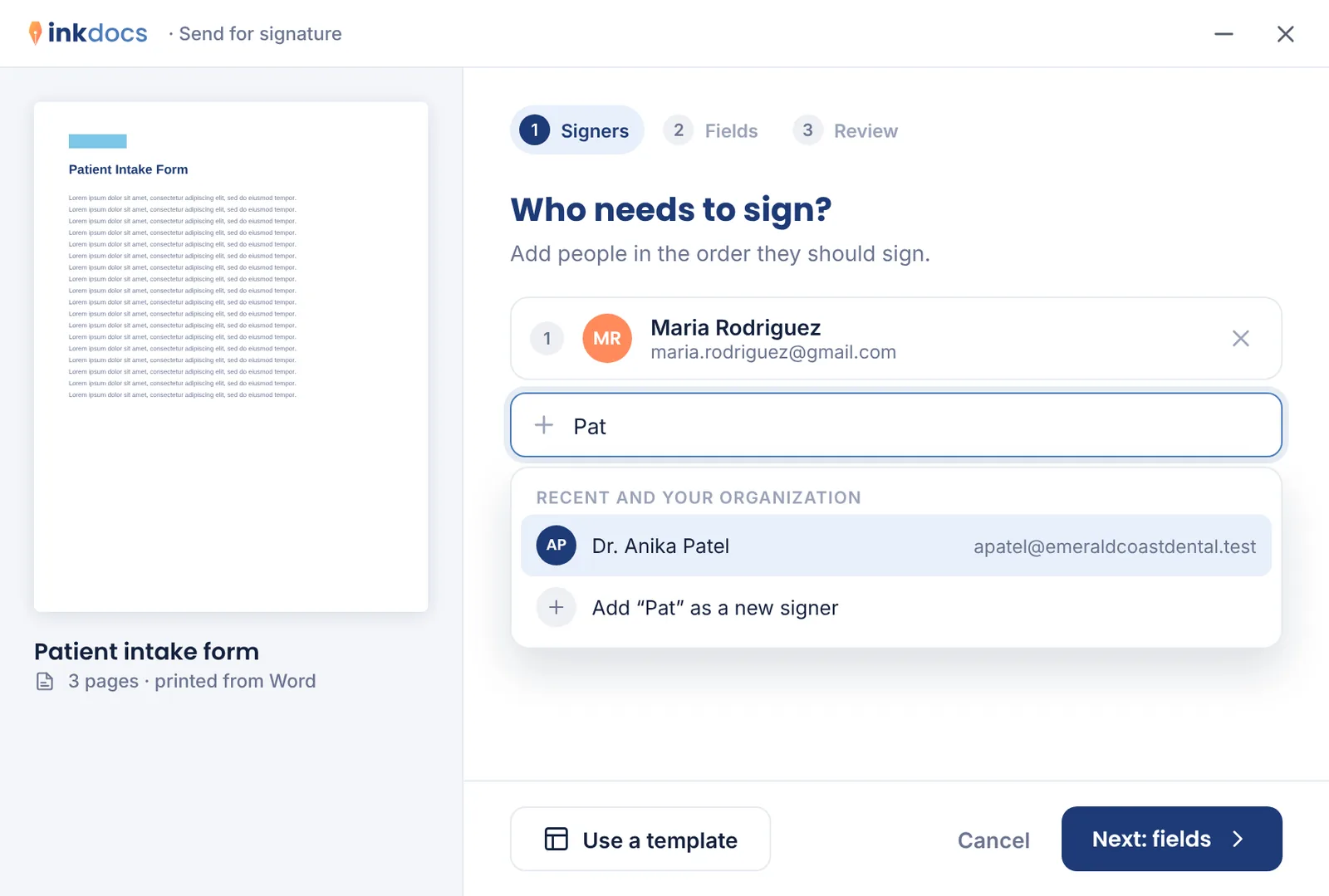
Ink suggests people you've sent to before and people in your organization, in signing order.
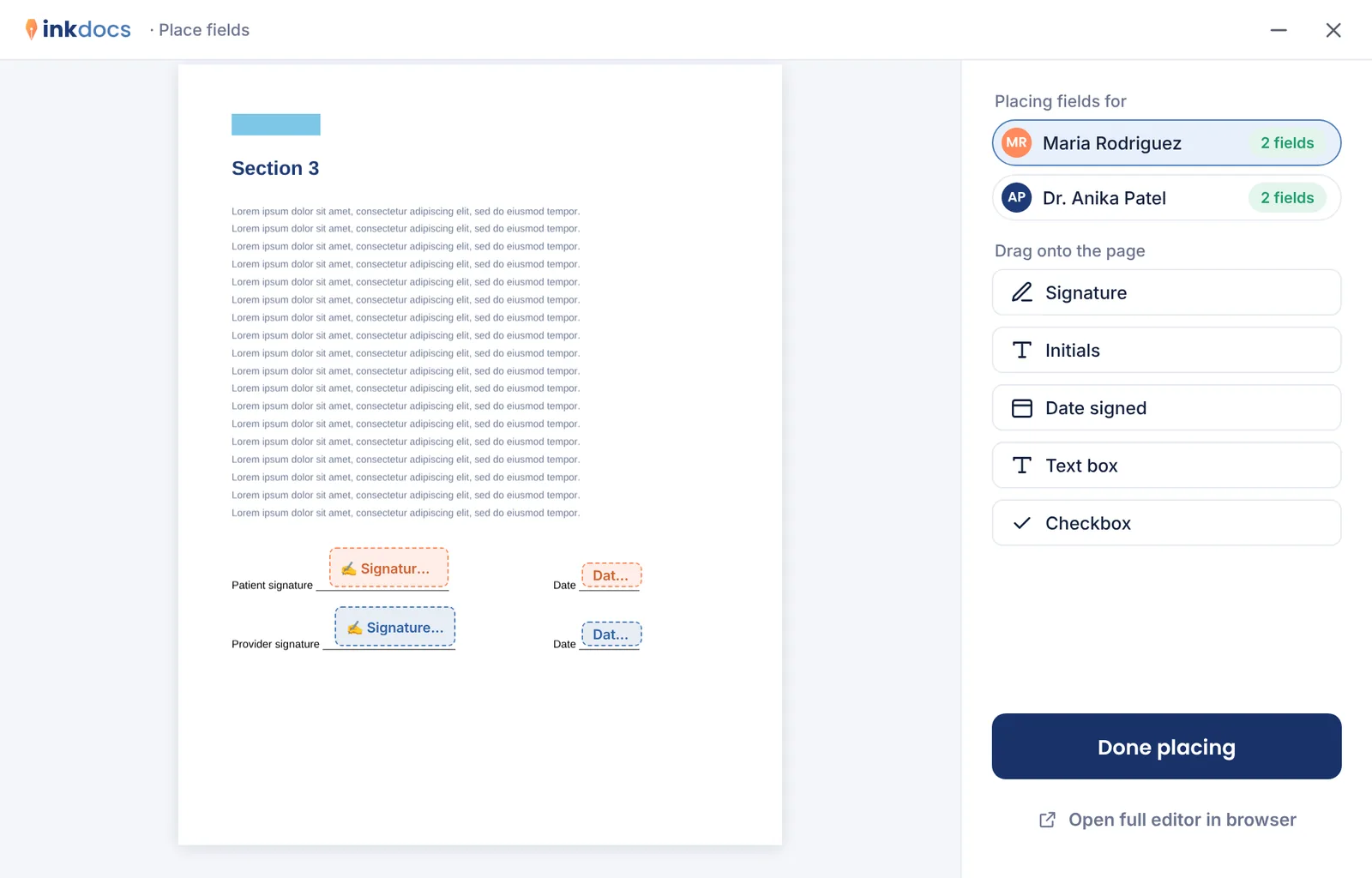
Drop signature and date fields on the page, or let Ink add a signature page, then send.
On your phone
Signers sign from any phone's browser with nothing to install. The Ink app for iPhone and Android, coming soon, lets your team send documents, sign what's waiting on them and send reminders on the go.