Payroll details stay masked
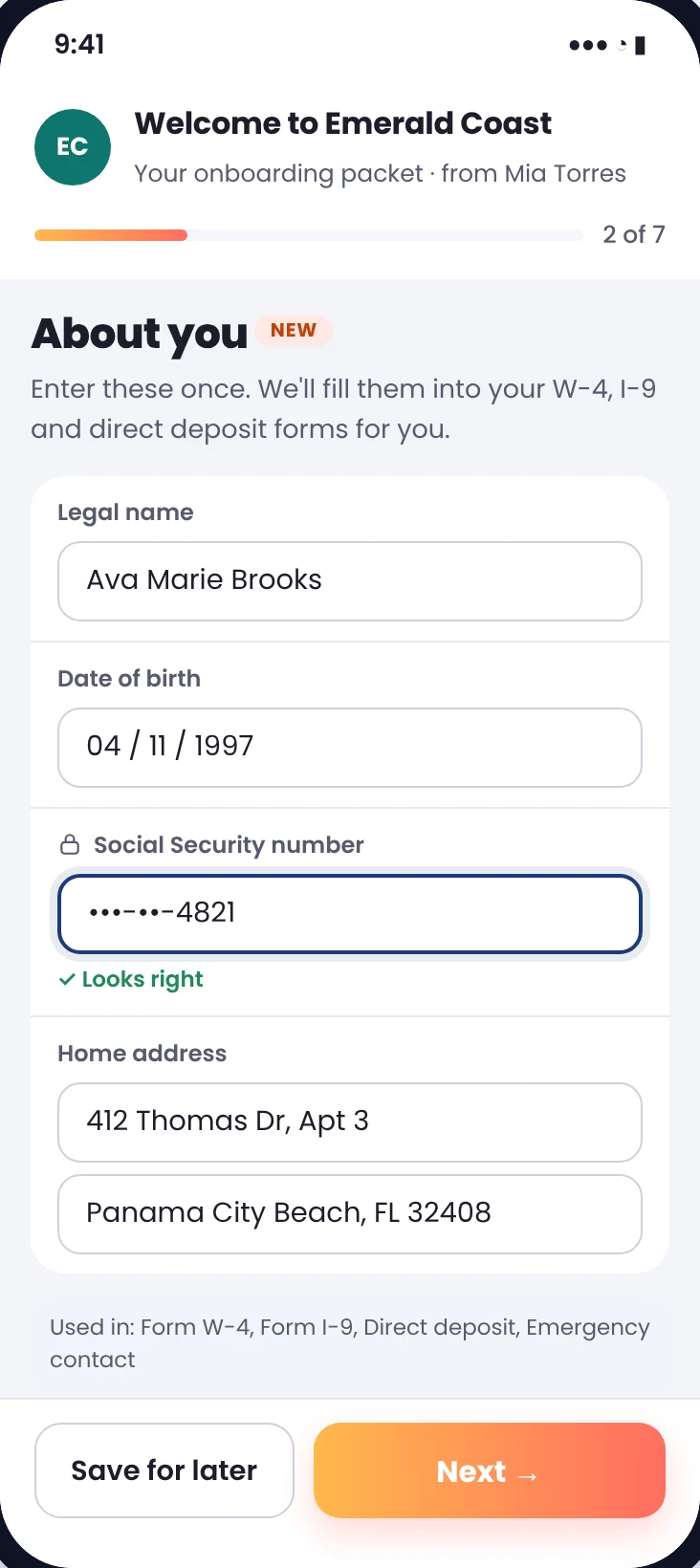
Social Security and bank account numbers are hidden as they are typed and show only their last four digits.
New · HR onboarding
Send the offer letter, tax forms, direct deposit and I-9 as one packet. Ink sends each step when the last one is signed, chases what's missing, and keeps payroll details masked.
Packets
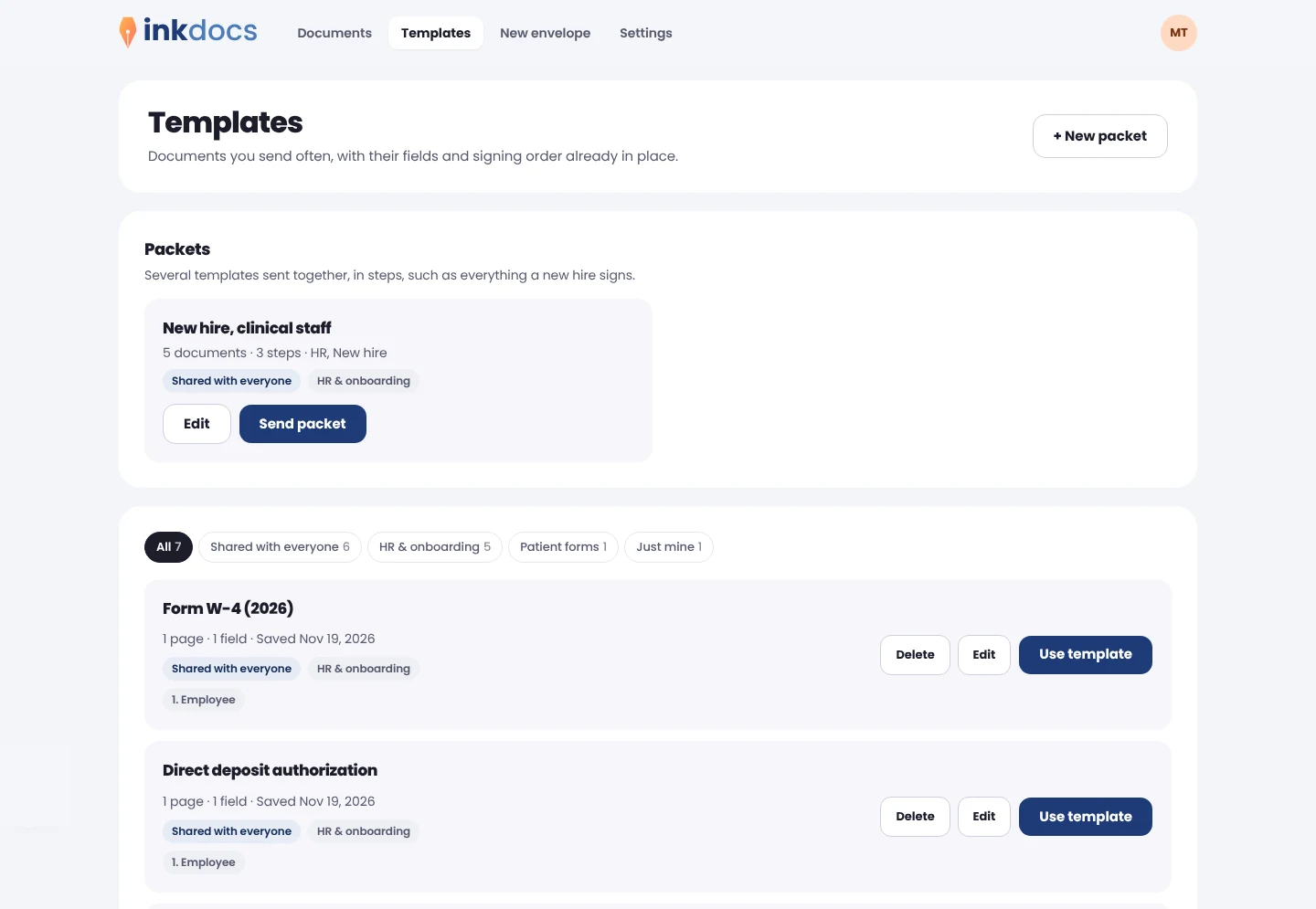
Real screens from Ink, shown with a sample organization.
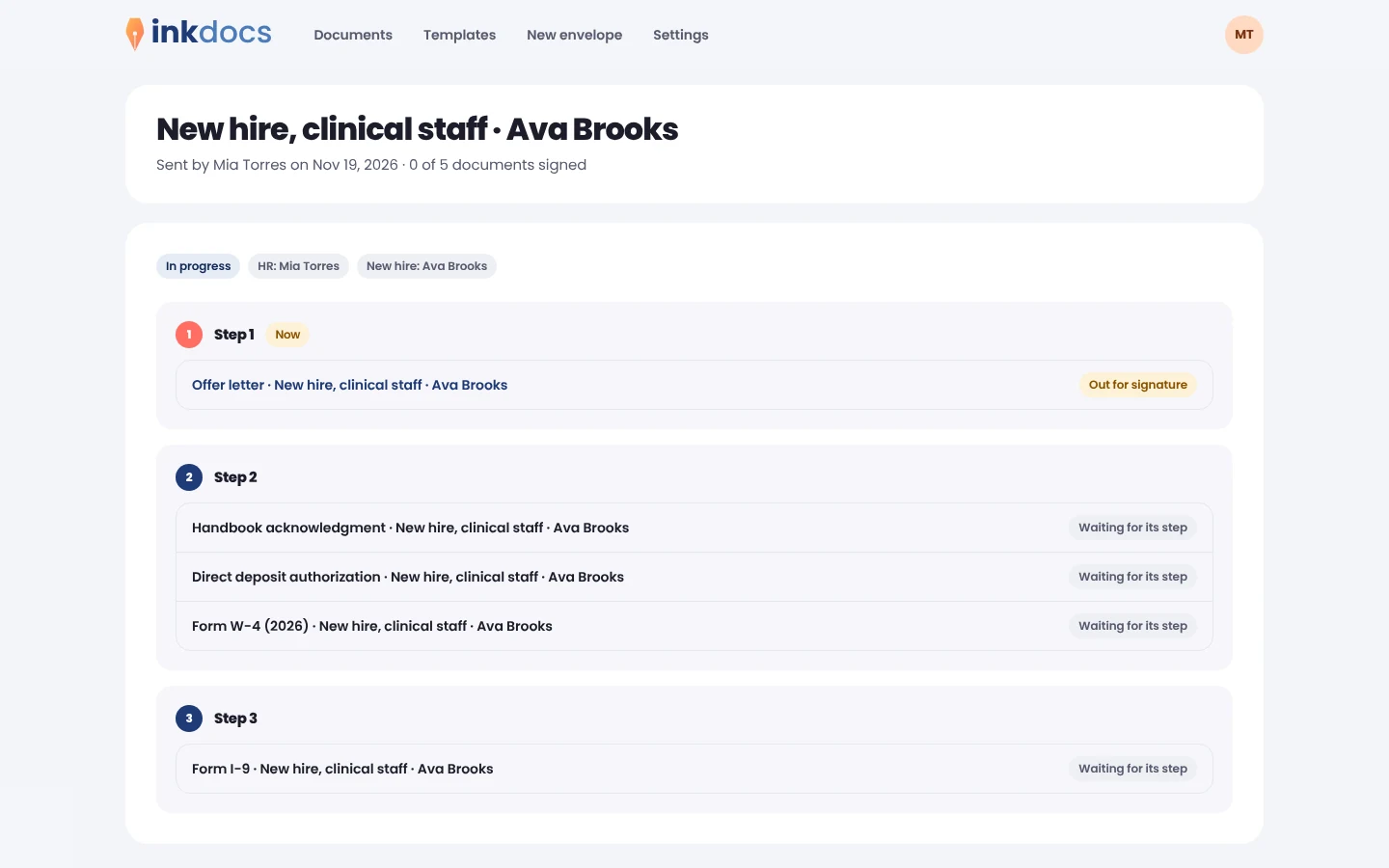
Offer letter first, then the tax forms, direct deposit and handbook together, then the I-9. Each step goes out on its own the moment the one before it is signed.
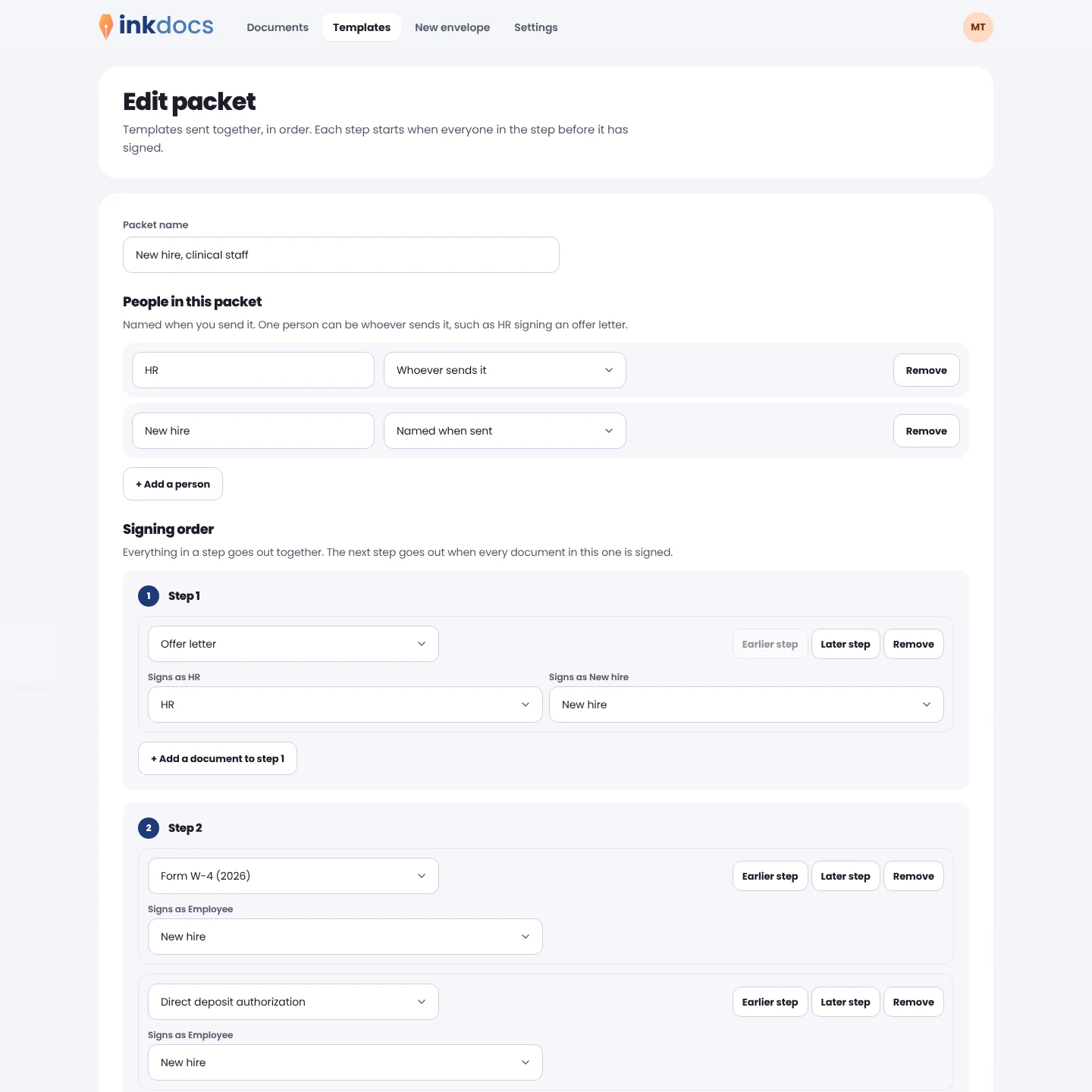
Start date, job title and pay are asked of you once when you send, and land on every document that needs them. No retyping the same details five times.
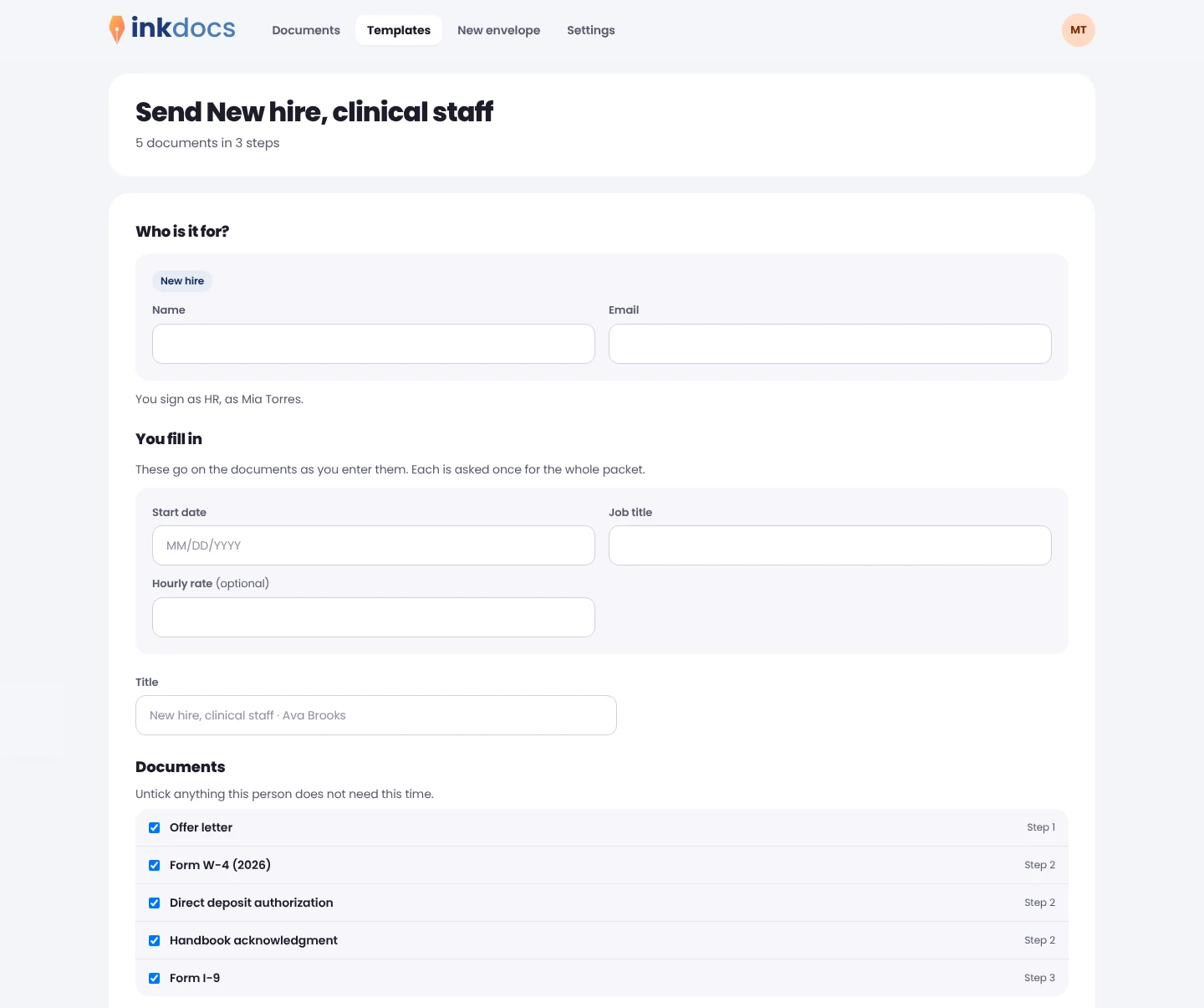
Fields know what they are asking for. Social Security and bank account numbers are masked as they are typed, and a typo in an email or routing number is caught before anyone signs.
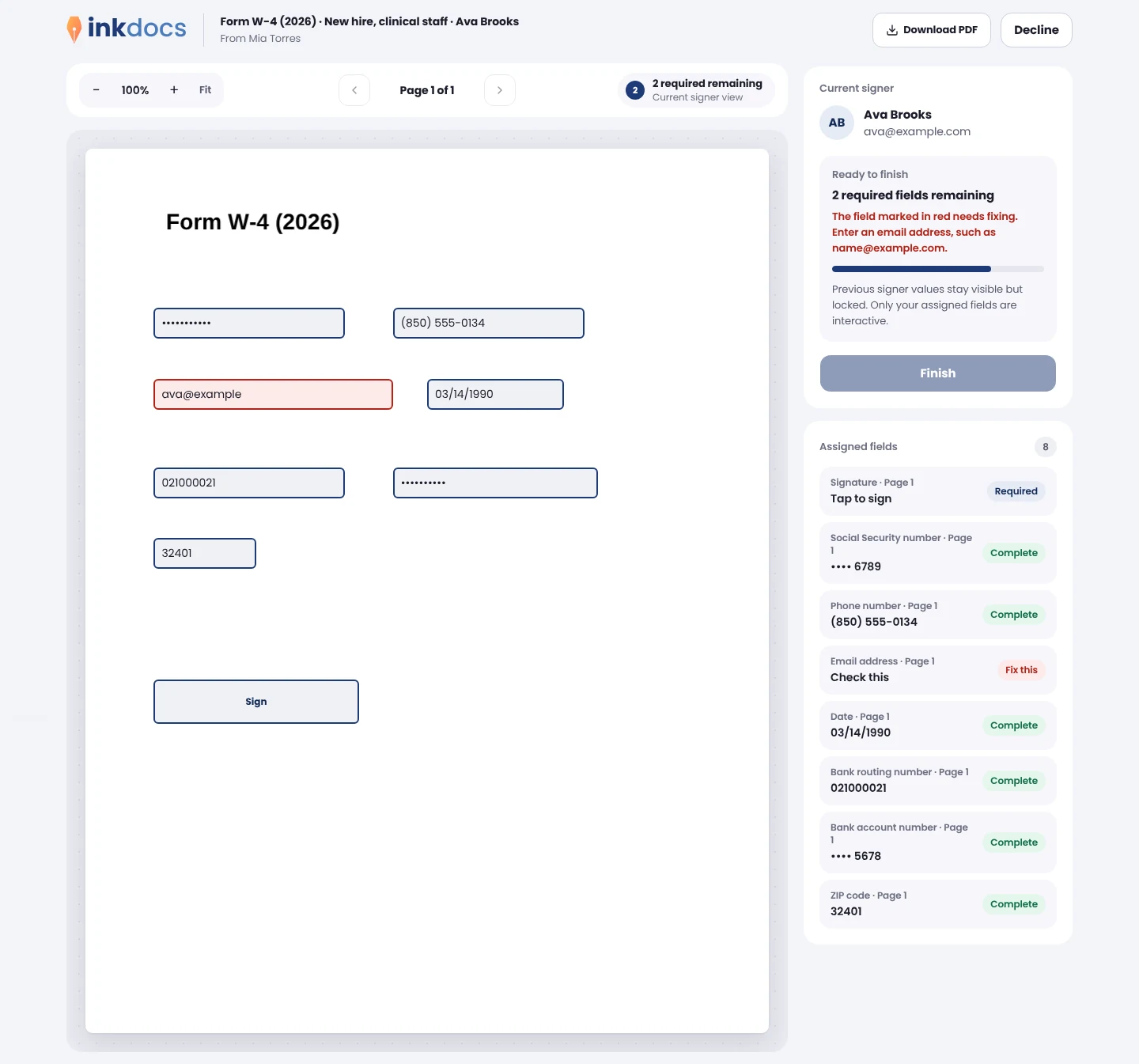
Keep the offer letter, W-4, I-9 and handbook in an HR folder the whole team can send from, so everyone uses the current version.
Privacy
New hire paperwork holds the most sensitive data you collect. Ink treats it that way.
Social Security and bank account numbers are hidden as they are typed and show only their last four digits.
Your documents are isolated from every other customer's at the deepest layer of the system.
Each signed document is sealed so any change shows, with a certificate of who signed and when.
Here's what we're building next. These screens are design previews, and each one joins the live product as it ships.
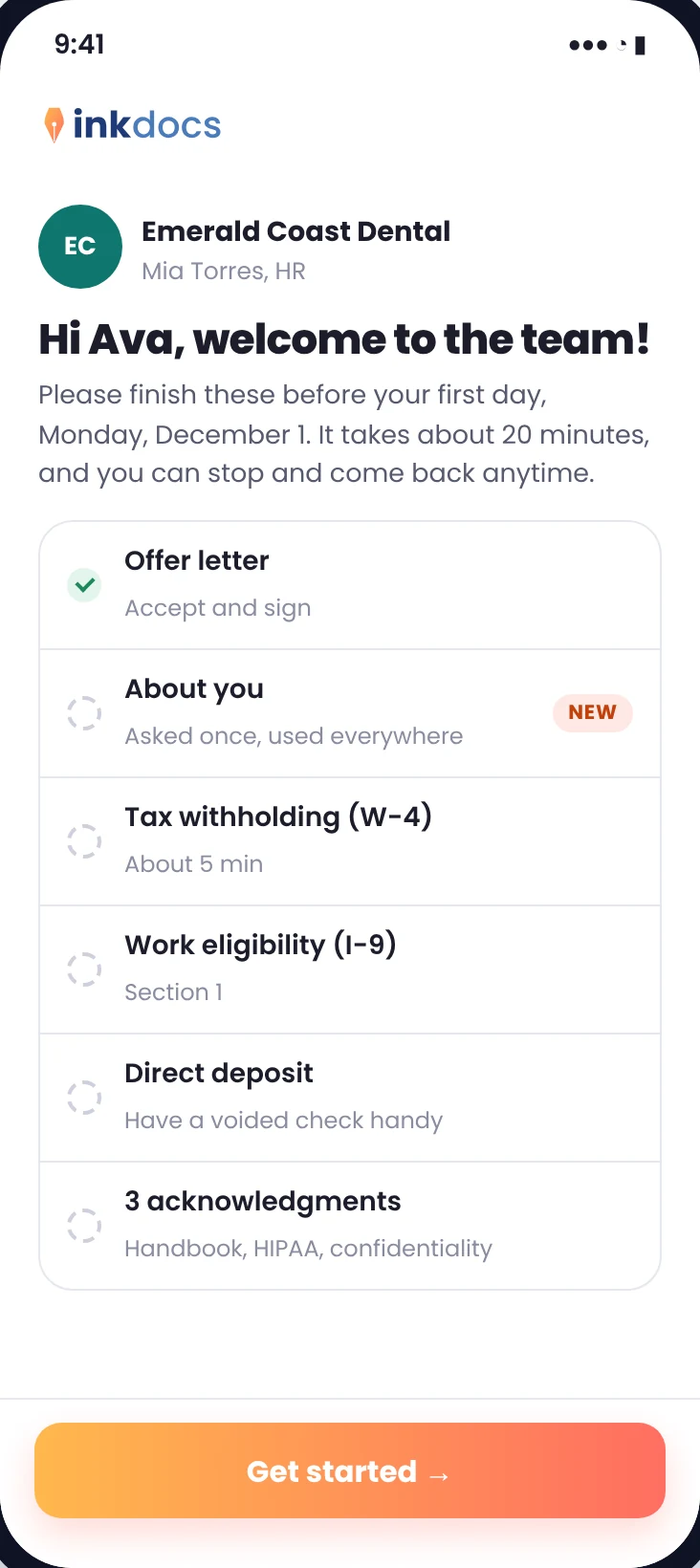
New hires get one link with everything they owe, in order. They enter their details once, sign everything in one go, and can stop and pick up where they left off.
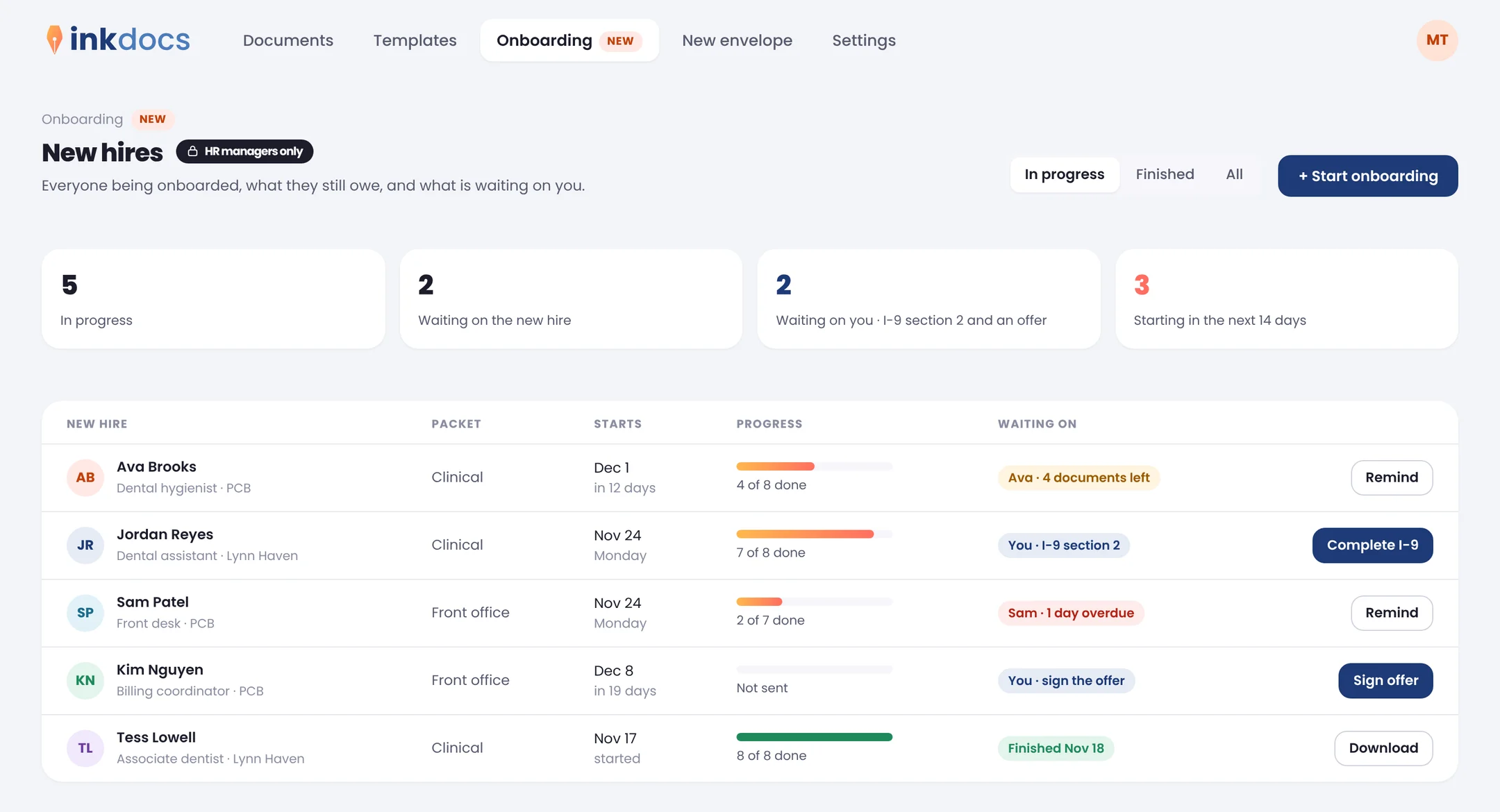
See who starts when, what they still owe and what is waiting on you, with a reminder or the I-9 one click away.
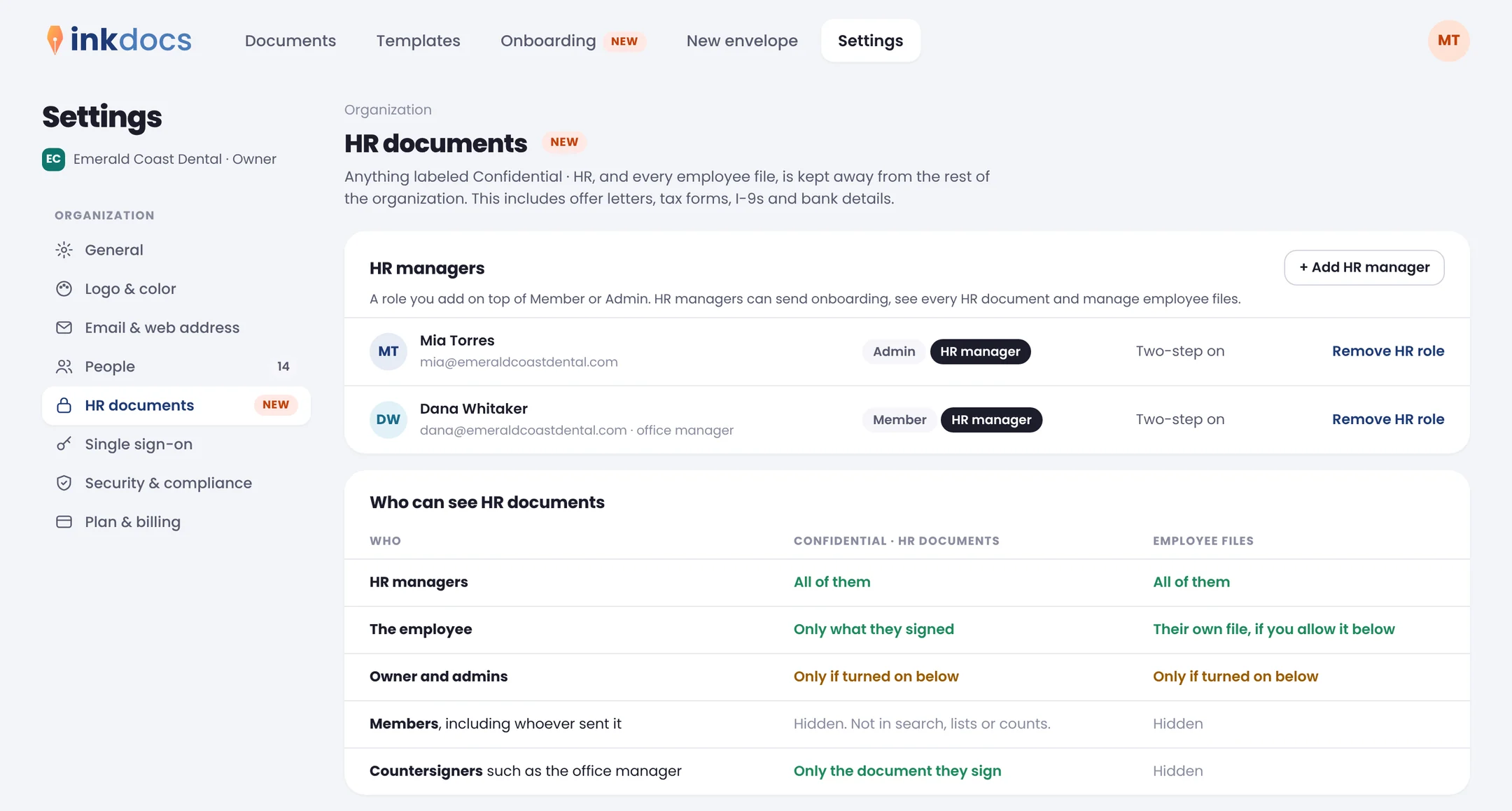
Add the HR manager role, label documents Confidential HR, and keep payroll and tax details away from everyone else.
One link opens everything they owe, in order, with their details asked once and used everywhere.
Everyone being onboarded, what they still owe, and what is waiting on you, by start date.
Export new hire answers as a spreadsheet, or send them on to your other systems as they arrive.
Ask for a voided check, a license or I-9 documents right in the form.
A Confidential HR label that keeps offer letters, tax forms and I-9s to HR, with every view logged.
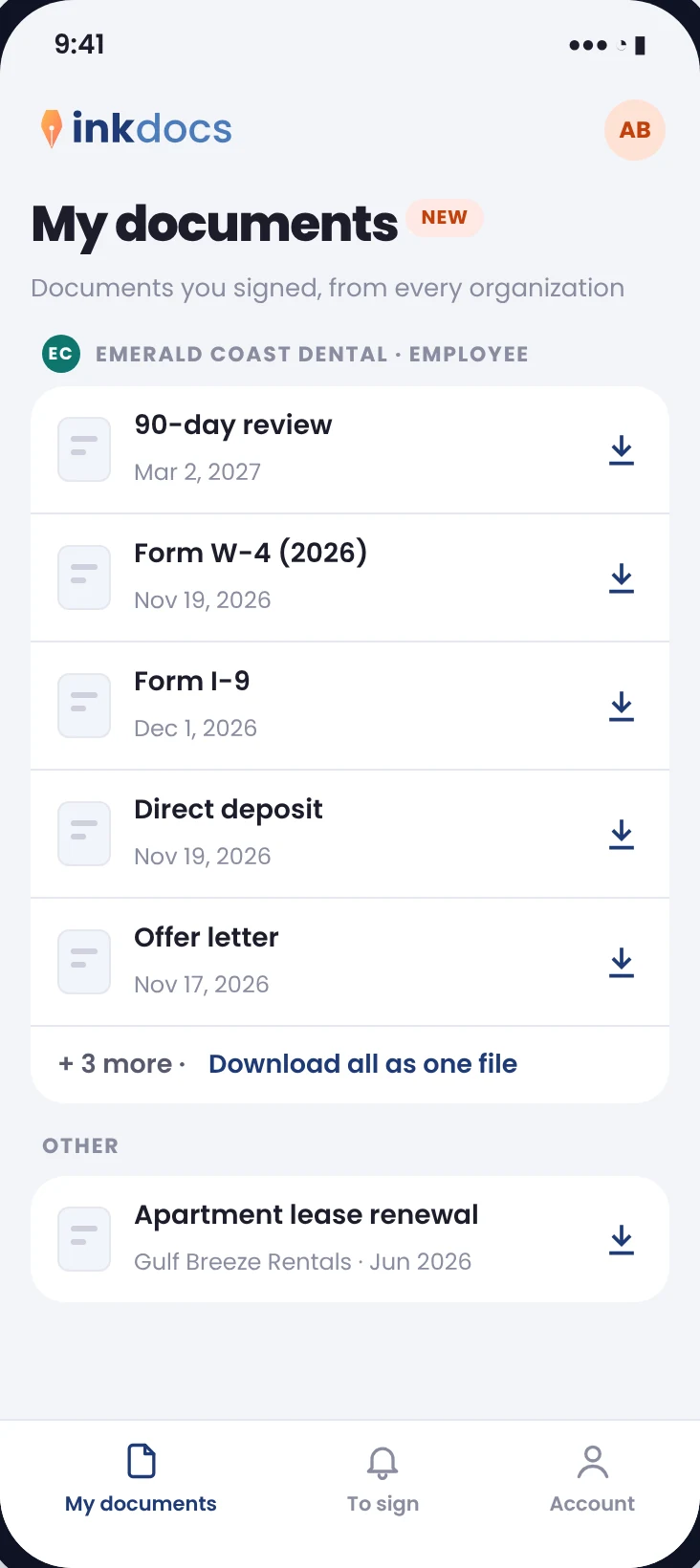
Every document for one person in one place, and a My documents page where employees can download their own.